

Digital assessment software for a university that handles peak weeks
Exam week, thousands of students online at once. How we built digital assessment software that copes, integrates with the LMS and protects privacy.
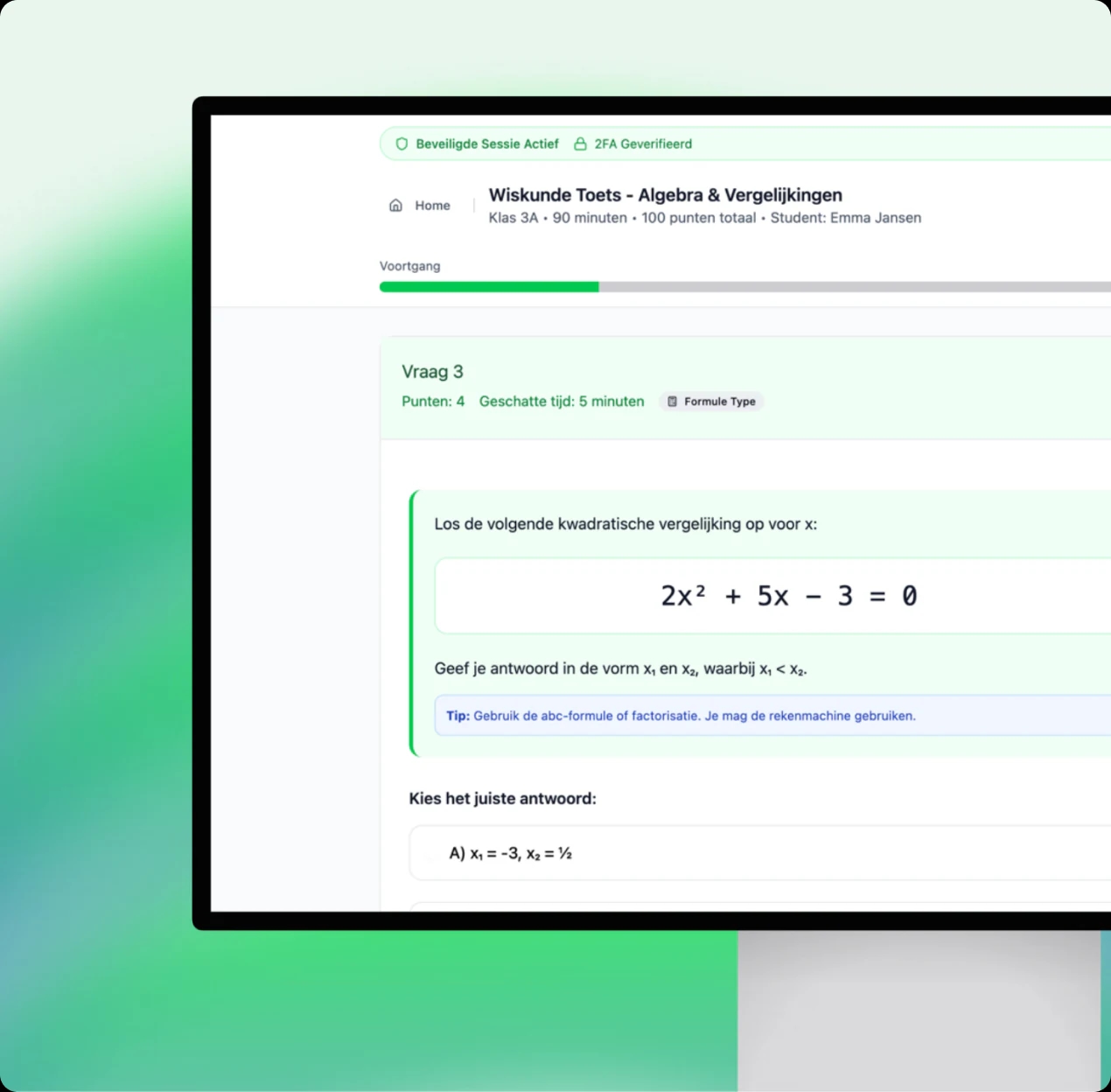
A university with more than 30,000 students and 2,500 lecturers runs tens of thousands of assessments a year. For that university, we built custom digital assessment software. It handles peak weeks, integrates with the LMS and the student information system, and complies with the GDPR. The university remains anonymous.
The old assessment environment, however, was reaching its limits. You don't notice that on a quiet Tuesday. You only notice it when thousands of students click start at the same moment. So this project began with one question: what happens in the busiest week of the year?
The project in brief
- Client
- A university (anonymous), with more than 30,000 students and 2,500 lecturers.
- Sector
- Higher education.
- What we did
- UX/UI design, web application development, frontend and backend.
- Integrations
- Integration with the LMS and the student information system (SIS).
What was the challenge?
The university needed an assessment environment that could do five things at once. Scale during peak weeks, be secure and stable, connect to existing systems, support summative and formative assessment, and work for students, lecturers and assessment support staff. None of those requirements could come at the expense of another.
That last point is what makes it hard. A system that is very secure but slow helps no one during an exam. A system that is fast but doesn't integrate only creates extra work for lecturers. So you have to take every requirement seriously at the same time.
Summative and formative assessment also ask for different things. A summative assessment counts towards the grade and has to be watertight. A formative assessment is meant for learning and adjusting course. Both had to fit in the same environment.
Why did we choose custom digital assessment software?
Because the combination of requirements was too specific for an off-the-shelf package. The software had to integrate with the systems the university already uses, and demonstrably handle peak load. Privacy also had to be part of the design from the start, including exam review and the handling of access requests.
My view: with assessment software, you test the peak before you go live, not after. The first real exam week is no test, because there are real students behind the screens. That is why proving the capacity was in the plan before a single student logged in.
Weighing up custom software against a package yourself? On our blog you can read when custom software or an off-the-shelf package is the better choice. We are ISO 9001 and ISO 27001 certified ourselves, which is no luxury with data like this.
Does your software need to handle peaks too? We build custom software that integrates with your existing systems and is tested in advance for the busiest day.
See custom softwareHow did we build it?
As one environment with two sides: an exam environment for students and a management environment for lecturers. Underneath are integrations with the LMS and the student information system. Timetables, student lists and grades sync automatically, so nobody enters anything twice.
How does taking an exam work for students?
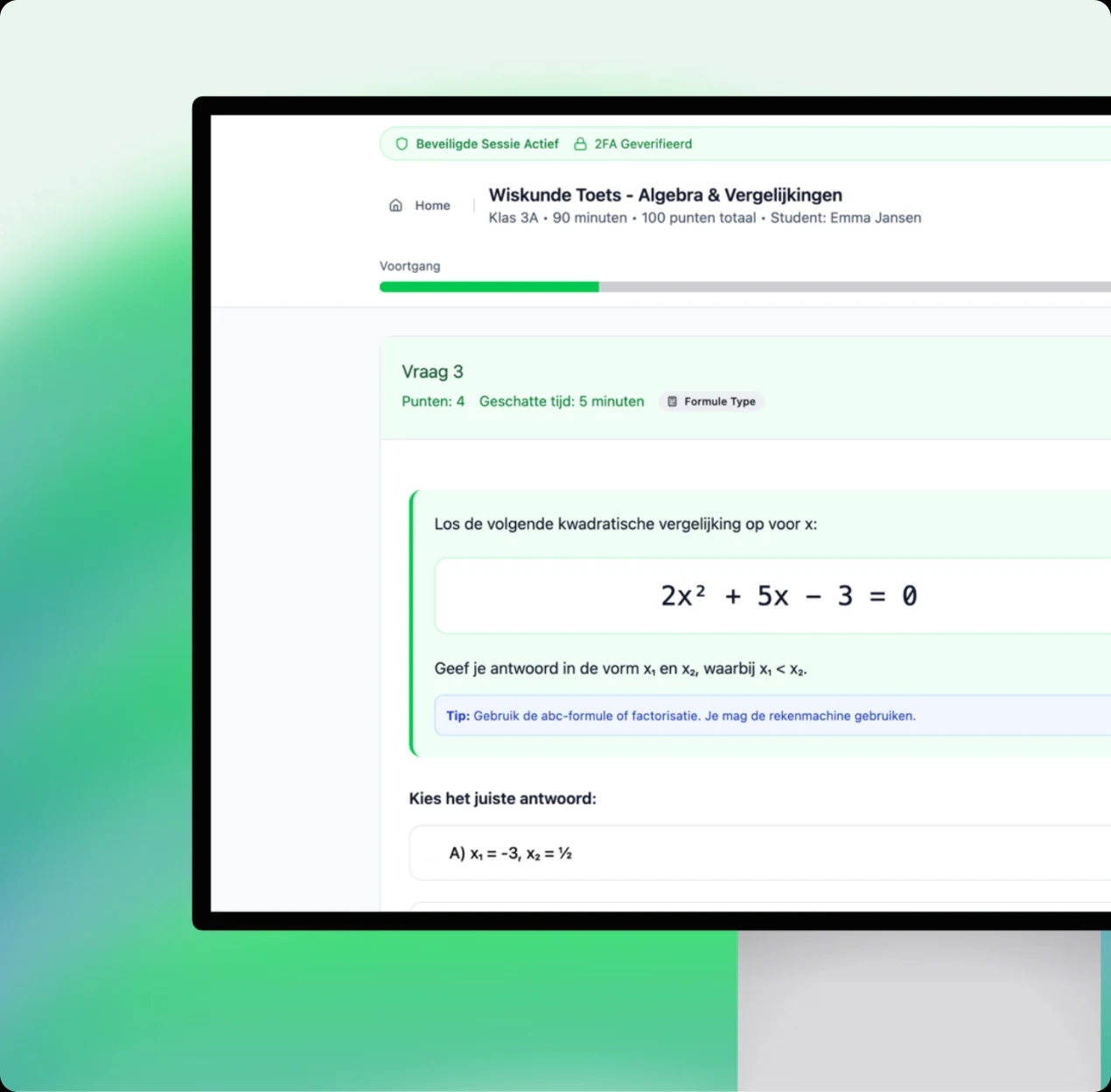
In an environment designed for minimal distraction. The interface works on desktop PCs as well as Chromebooks. Students get multiple-choice questions, open questions and upload questions. Meanwhile, the software tracks their progress automatically.
What can lecturers do with it?
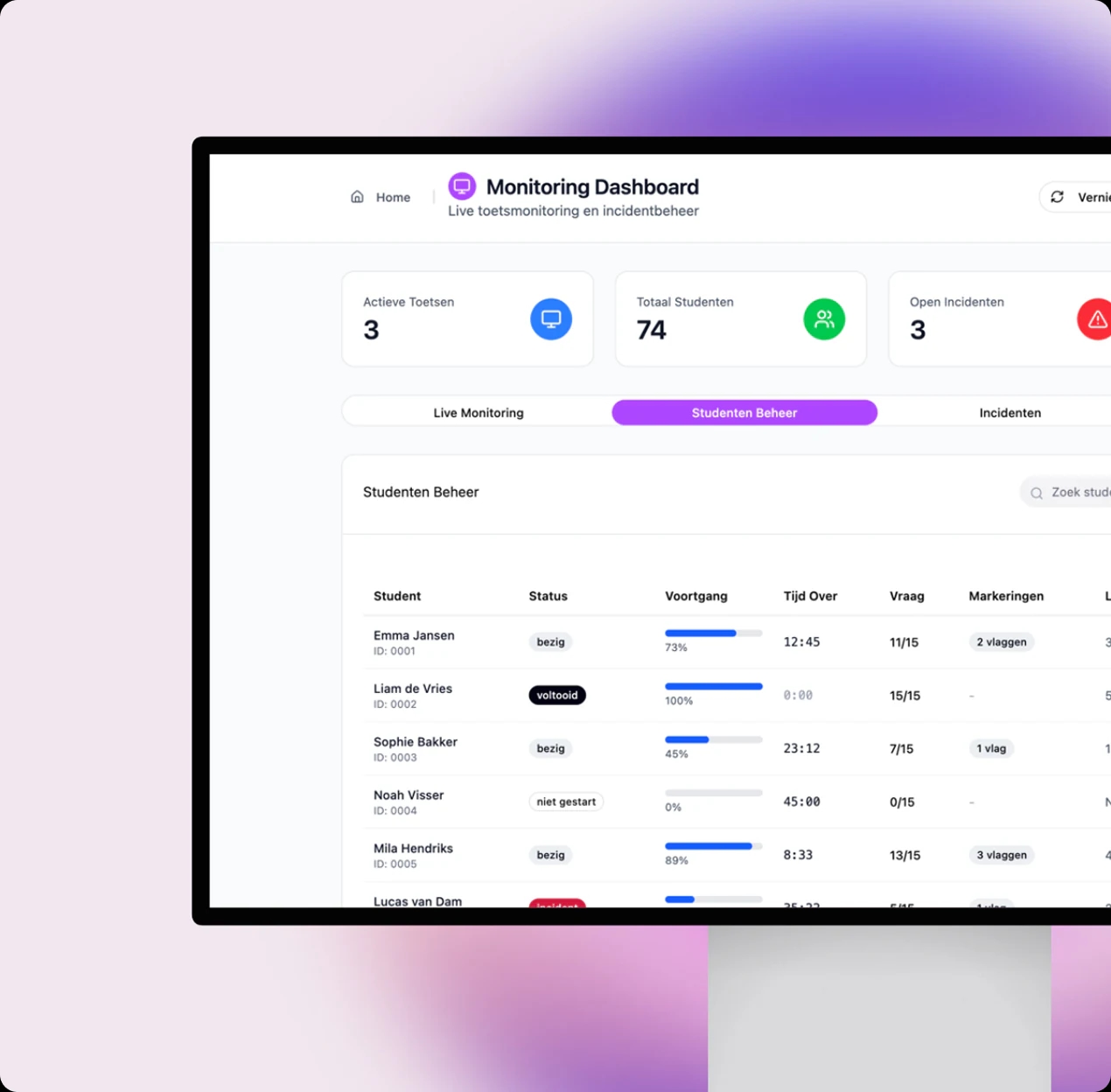
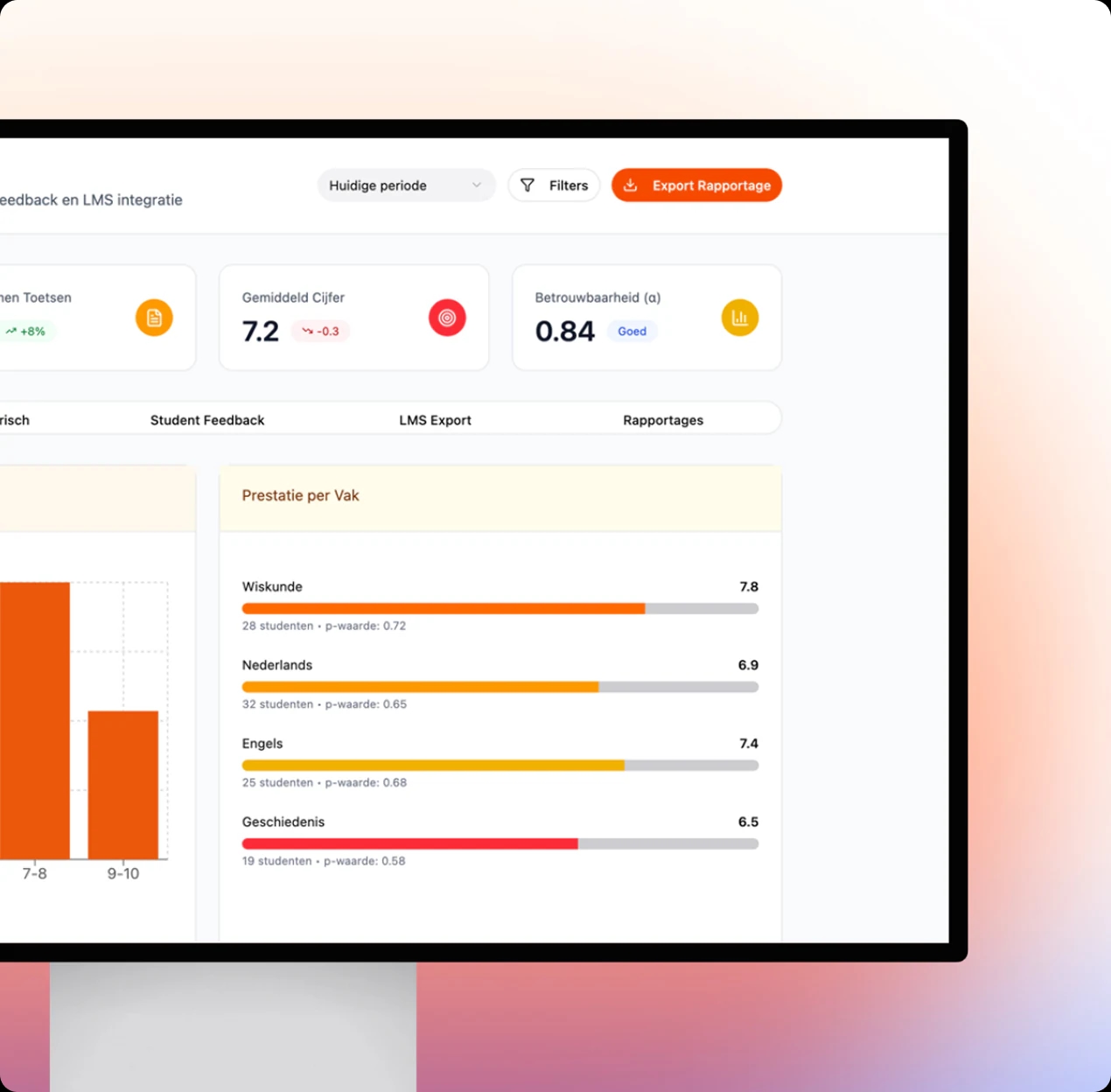
Lecturers put together assessments, manage timetables, invigilate, analyse results and offer exam review. And they do all of it from a single management environment. Psychometric analysis and plagiarism checks are built in. Roles and permissions keep things clear, even with 2,500 lecturers.
How does it connect to existing systems?
The software is connected to the LMS and the student information system. So students see their grade on the platform they already use. Want to know which integrations we build more often? See our overview of integrations.
How did the switchover go?
In two phases. First an inventory and a step-by-step migration from the old environment. Before go-live, we proved the capacity with performance tests and peak load simulations with thousands of concurrent users. Then came the integration with the LMS and SIS, with training and manuals for lecturers and staff.
What does the design look like?
Calm, with as little distraction as possible for the student. At the same time, it gives lecturers plenty of overview. A student sitting an exam should be thinking about the questions, not the buttons. For lecturers, the design is all about overview. So everything they need is in one management environment, from timetables to exam review.
Those two sides call for a different kind of design. For the student, you remove whatever isn't needed. For the lecturer, you organise a lot of information so they quickly find what they are looking for. We made that difference deliberately.
What did the digital assessment software deliver?
The university now runs assessments during exam weeks without capacity being the bottleneck. Timetables and grades sync automatically. Flexible and remote assessment is possible within the same environment. And the capacity was known before the first real exam week.
A very different project where the peak was central is the pin game for Waar de F*ck is STUK?. There too, users all arrived at once, right after each call-out.
Want to know whether your system can handle the busiest day? Tell us where it's struggling now, and we'll look at the options together.
Book an intro callUpdated

Get in touch with us directly. We'll get back to you as soon as we can


 Your message goes straight to our team in Amsterdam.
Who built this assessment software?
Your Tech Club. We did the UX/UI design, the frontend and backend development and the integration with the LMS and the student information system, including migration and training.
How do you keep assessment software running during exam weeks?
By testing peak load before you go live, not after. In this project, we ran performance tests and peak load simulations with thousands of concurrent users, so the capacity was known before the first real exam week.
Can digital assessment be made GDPR compliant?
Yes, provided privacy is part of the design from the start. This solution is built that way, including exam review and the handling of access requests. Your Tech Club is ISO 9001 and ISO 27001 certified.
Can assessment software integrate with our LMS?
Yes. Here it is integrated with both the LMS and the student information system, so timetables, student lists and grades sync automatically and double entry disappears.
What is the difference between summative and formative assessment?
Summative assessment tests whether a student has mastered the material and counts towards the grade. Formative assessment is meant for learning and adjusting course along the way. This software supports both in the same environment.