In this article
- What does AI implementation mean?
- Why do so many AI projects get stuck in a pilot?
- Which process should you tackle first?
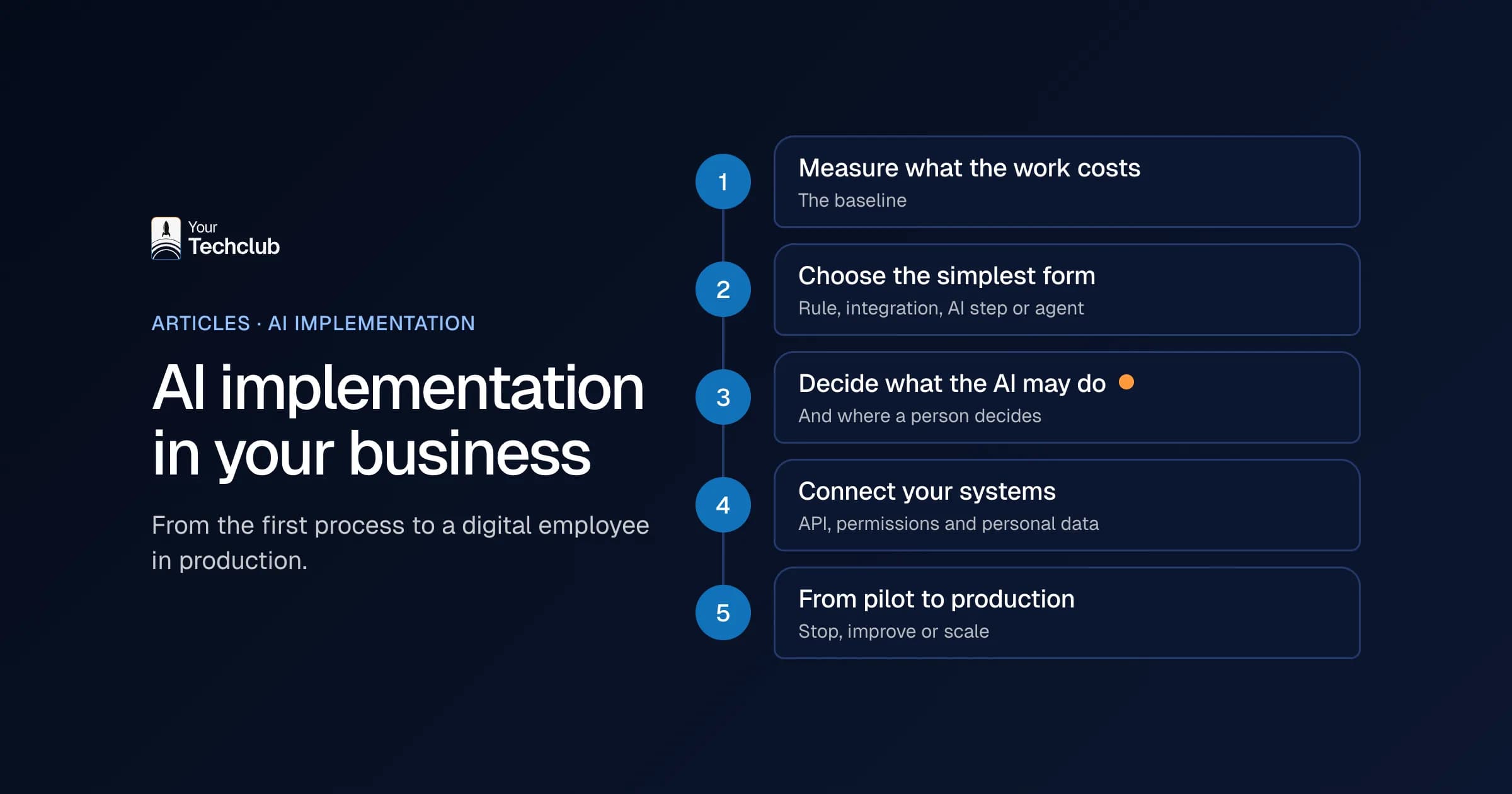
- Step 1: how do you measure what the work costs now?
- Step 2: AI agent, plain automation or a standard tool?
- Step 3: what may the AI do on its own, and where does a person decide?
- Step 4: how do you connect AI to your existing systems?
- Step 5: how do you move from pilot to production?
- What does a first implementation look like?
- Who needs to be involved internally?
- How do you bring employees along?
- What happens after go-live?
- What do you need to sort out for the EU AI Act and the GDPR?
- What does AI implementation cost?
- Do it yourself, hire a freelancer or work with a partner?
- Where do you start tomorrow?
- Frequently asked questions
You have licences for ChatGPT or Copilot, a few enthusiastic colleagues and a board that wants to know what it all delivers. Meanwhile the real work carries on as usual: reading email, retyping data, putting quotes together. AI implementation in your business means that one of those tasks runs differently for good. Not a demo, but a fixed part of the work, with an owner and a measurement.
I often see the same pattern in audits. There is plenty of enthusiasm, there are ten ideas, and after six months nothing runs in production. That is why this plan does not start with the tool, but with the work.
What does AI implementation mean?
AI implementation means that AI gets a permanent place in a business process, with an owner, limits and a measurement. An employee who now and then asks ChatGPT to rewrite a text uses AI. A workflow that sorts customer emails, looks up data and prepares a draft for a colleague is an implementation.
Anyone who wants to implement AI needs the same parts every time: a clearly defined problem in one process, an owner who answers for quality, digital input, a link to your existing systems, agreements on when a person checks, success criteria you set in advance and support after go-live. If one is missing, you have an experiment.
The form varies. Sometimes it is a workflow with one AI step, sometimes an AI agent that chooses its own steps. Our explainer on AI agents covers what an agent does exactly. For this plan it makes no difference, because the order stays the same.
Why do so many AI projects get stuck in a pilot?
Almost never because of the technology. The model usually does fine in the demo. Things go wrong around the demo: the project starts with a tool instead of a problem, the first pilot is too big, nobody owns it and nobody measures anything. Without a baseline, every evaluation turns into a difference of opinion.
According to Statistics Netherlands (CBS), around one in six Dutch companies used AI in 2025 (CBS, December 2025). So using AI is no longer the problem. The problem is the step from using it to a fixed process.
In AI implementation projects I see this in five forms:
- "We are going to do something with AI" is not a brief. The project starts with the tool.
- A pilot that is too big. "Automating customer service" stalls, but "sorting incoming email" does not.
- No owner: the board sponsors it, but nobody steers it every week.
- Messy data. Cleaning it up takes more time than building.
- Employees do not know what will happen to their work, so they keep their distance.
You can read more about this pattern in why AI pilots fail. I built the steps below to get around those traps one by one.
Which process should you tackle first?
Choose a task that happens often, mostly follows the same steps, has digital input, has an outcome you can check quickly and has a clear owner. Think in tasks, not departments: sorting email, checking invoices, gathering quote information. Also talk to the people who do the work, not only to the board.
Then compare the candidates on five points: volume, time per case, error rate, how easy they are to connect and what a mistake costs. The selection model is in which business processes suit AI. For examples per department, see AI applications for business. If you want the whole sequence on paper first, from readiness to roadmap, read how to build an AI strategy.
What I would not do: start with the process the board complains about loudest. That is often the most political process, not the most suitable one.
Step 1: how do you measure what the work costs now?
Record how often the task occurs, how many minutes it takes each time, how often something goes wrong and how long items sit waiting. A sample of a few weeks is enough. That baseline is the basis for every decision after it. Without it, you will not know afterwards whether the work paid off.
Also separate the time you win from the money you save. An hour that frees up only becomes a saving if the work really disappears. Often it is capacity instead: the same team can handle more. That has value too, but it is something else.
The calculation is on the page what manual work costs. For how to set returns against costs honestly, read the AI business case.
Step 2: AI agent, plain automation or a standard tool?
In AI implementation, choose the simplest form that solves the problem. If the rules are fixed, a plain rule or integration is enough. If the work requires reading language or a document, you add an AI step. Only when the steps differ per case and span several systems does an AI agent make sense.
| Form | When | Example |
|---|---|---|
| Fixed rule or setting | The rules are fixed | An invoice above a threshold goes to a second approver |
| Integration | Data has to move from A to B | An order from the online store lands in the accounts automatically |
| Workflow with an AI step | Input in language or documents | Pull the subject and customer number from an email |
| AI agent | Steps differ per case | Read a request, check the data, update the CRM |
An agent is not automatically better. Every extra step it chooses itself is an extra place where something can go wrong. The difference is in AI agent or plain automation. If you work in Microsoft 365, also read Power Automate or an AI agent. Want to try something yourself? Then build your own AI agent helps.
Step 3: what may the AI do on its own, and where does a person decide?
For each task, set out which actions the AI may take on its own, which go for approval first and when a person takes over. Give only the permissions that one task needs, and log every action in a place the AI itself cannot reach. You decide this before you build, not after.
A simple split works best in practice:
- On its own: sorting, summarising, suggesting fields, writing drafts.
- Approval first: anything that goes to a customer, touches money or deletes something.
- Always a person: decisions about people, legal commitments, exceptions.
This is the step most AI implementation plans skip. However, I think it is the most important one. An AI that can switch off its own controls has no controls. How to organise this without grinding to a halt is in AI governance for SMEs and writing an AI policy.
Step 4: how do you connect AI to your existing systems?
Before you build, find out where the input lives, which systems the AI needs to read and update, and whether they have an API. The link between systems is often more work than the AI step itself. If a system has no API, there are other routes, but they are slower and more fragile.
An AI assistant such as ChatGPT or Claude can reach your own systems through an MCP server. Our article what is MCP explains how that works. For an agent that has to write to your CRM or ERP, read connecting an AI agent to existing systems. Per package, from Exact Online (Dutch accounting software) to AFAS (a Dutch ERP and payroll suite), our integrations show what is possible.
Also look at personal data in this step. The GDPR applies as soon as the process touches personal data. On top of that, the EU AI Act sets requirements depending on your use case and your role. What you need to arrange is in EU AI Act and GDPR: what to sort out.
Step 5: how do you move from pilot to production?
Build a pilot that is small enough to test quickly and big enough to measure something: one mailbox, one document type or one team. Set three success criteria in advance, test with real and awkward examples, have a person approve everything at first and plan a fixed decision date. Then you stop, improve or scale up.
Do not test only with the tidy cases. Include emails with missing data, duplicate requests, poor scans and other languages. Then check whether the outcome is right and whether the workflow says honestly when it is not sure.
Three criteria I always set in advance:
- Quality: how many suggestions are right first time?
- Time: how many minutes per item, compared with the baseline?
- Risk: for example, not a single message to the wrong customer.
After the decision date there are three honest outcomes. Stop, if quality stays too low or you cannot control the risks. That is not a failure, because you avoid a bad investment. Improve, if the basis works but the same mistakes keep coming back. Scale up, if the figures have stayed stable for a while and support is in place. The checklist is in the download from pilot to production.
What does a first implementation look like?
Here is an illustrative example. A wholesaler receives orders by email, as PDFs and in Excel. Two people read them, look up the customer, retype the order lines and check the article codes. The baseline shows how many orders that is per week and how many minutes each order takes.
The first version does only part of the job. It saves the attachment, recognises customer and order number, extracts the lines, compares article codes with the product file and prepares a draft order. Unknown codes go to an employee. A colleague approves every order before it enters the ERP.
After a few weeks it becomes clear which customers always go right. From then on, those orders go through without a check. The rest still goes past a person. So the implementation grows on the basis of figures, not trust. You will find this worked out per process in automating order processing and, as a product, in our AI employees.
Who needs to be involved internally?
At least three roles. A business owner who sets the goals and decides on budget and scope. A process expert who knows the exceptions and supplies test cases. And a technical owner who manages integrations, logging and outages. In a small team one person can hold two roles, as long as you name all three responsibilities.
The process expert is the one people forget most often. Yet that person knows which customer always sends an odd format and which exception comes back every month. Without that knowledge you only test the tidy cases, and those work anyway.
How do you bring employees along?
Involve the people who do the work from step 1, not only at go-live. Let them help decide which task goes first and let them supply the test cases. Also make sure checking is faster than doing the work yourself. Otherwise people work around it or approve everything without looking.
Be honest about what happens to their work, too. For most companies, AI implementation means the same team can handle more, not that people have to leave. Say so if that is the case. And say so if it is not. Uncertainty costs more support than bad news.
AI literacy helps here. People who understand what a language model can and cannot do check better and dare to report mistakes. Since 2 February 2025 the EU AI Act also asks you to take measures for it.
What happens after go-live?
An AI implementation does not end at go-live. Models get updates, suppliers change their APIs and your process changes. So agree who reviews the results every month, who gets the call when something breaks and how corrections flow back into the workflow. Without that support, a good implementation ages within a year.
Three things I would review every month:
- How many suggestions a person still corrects, and why.
- Whether the time saving still matches what the baseline promised.
- Which exceptions are new and deserve their own rule.
Only when those figures stay stable for a few months is it time for the second process. Then the plan starts again, but faster, because the integrations and agreements already exist.
What do you need to sort out for the EU AI Act and the GDPR?
Three things apply to almost every company. Since 2 February 2025 you must take measures that support AI literacy among the people who work with AI. If you use AI for recruitment, selection or other decisions about staff, the stricter high-risk rules apply from 2 December 2027. And if a supplier processes personal data for you, you need a data processing agreement.
Those dates come from the EU AI Act as amended in July 2026 by Regulation (EU) 2026/1744. What AI literacy asks of you in practice is in the AI literacy requirement. For the full overview, read EU AI Act and GDPR: what to sort out.
What does AI implementation cost?
That depends on the process, the number of integrations, the security requirements and the volume. A workflow on one mailbox is a different thing from an agent that updates three systems. Also count your own hours: the process expert who tests and the owner who adjusts course. After that come support and the cost of using the language model.
Then set that against what the work costs now, from step 1. If the difference is small, the honest answer is sometimes: not now. You will find an indication per type of project at what an AI solution costs.
Do it yourself, hire a freelancer or work with a partner?
Doing it yourself works for a simple workflow between standard packages, if someone in-house has time for it. A partner makes sense if the AI has to write to your ERP or CRM, works with sensitive data or has to run in production with logging and support. Whatever you choose, ownership stays with you.
If you have no IT department of your own, read AI implementation without an IT department. If you are unsure whether to start with a workshop, an assessment or building straight away, AI workshop, AI assessment or implementation helps. What to look for in a partner is in choosing an AI implementation partner. How we do it is on our AI implementation page.
Where do you start tomorrow?
AI implementation starts small. You do not need a strategy deck or a new tool for the first step. Pick one task where someone currently retypes data or sorts email. Then count for one week how often it happens and how long it takes. That number is worth more than any demo.
Frequently asked questions
How long does a first AI implementation take?
That depends mainly on the preparation: access to systems, cleaning up data and collecting test cases. The building itself is usually not the longest part. Plan a fixed decision date in advance, when you stop, improve or scale up.
Should you start with an AI agent?
No. Start with the problem. A short workflow that reads, sorts and lets a person approve is often easier to manage. An agent only makes sense when a task combines several steps and systems.
Do you need an IT department to implement AI?
No, but you do need three roles: someone who sets the goals, someone who knows the process and its exceptions, and someone who manages integrations and outages. A partner can fill that last role.
What is the difference between an AI pilot and an implementation?
A pilot tests whether it works, with an end date and criteria you set in advance. An implementation runs in daily work, with an owner, logging and support. A pilot without an end date stays half-alive forever.
Do I have to comply with the EU AI Act?
Yes, if you use AI. The AI literacy duty has applied since 2 February 2025. Which other rules apply depends on your use case and your role. See EU AI Act and GDPR: what to sort out.