

In this article
- What can AI do for my business, in one paragraph?
- Where does AI save time in almost every business?
- Are you ready to implement AI in your business?
- What can AI not do for your business?
- What do you do once you know what AI can do?
- How ready is your business for AI? Take the 2-minute AI check
- Frequently asked questions
What can AI do for my business? Usually less than the demo promises, and more than you think in the boring places. AI is at its best with work that comes back every day: sorting email, reading documents, preparing quotes, gathering figures and answering questions. In almost every company, that is where the time goes.
Yet few companies get started. According to CBS, Statistics Netherlands (12 December 2025), 27% of Dutch companies with 10 to 50 employees used AI in 2025. For companies with 50 to 250 people it was 45%. And the companies that considered it but did not start? They mainly cited a lack of experience (73%).
I get this question in many forms. How can AI help my business? Which work can it take over from my team? And what can it not do? The answer always starts in the same place: with the work your team does every day, not with a tool. At the bottom there is a 2-minute AI check that gives you that answer for your own business.
So this article is about what AI can do. If you mainly want to know how to start, read AI for SMEs: where do you start?. That is where the route is, from the first process to the costs.
What can AI do for my business, in one paragraph?
AI can mainly take over or prepare recurring work in your business: reading, sorting, summarising, filling in and looking up. Think of a shared mailbox, purchase invoices, quotes, reports and customer questions. AI does not take strategic decisions and does not fix messy processes. The gain is in hours, lead time and fewer typing errors, not in magic.
What I always say about this: "Opportunity first. Then the technology." So my answer to "what can AI do for my business?" always starts with a question back. Not: which AI tool should you buy? But: which work do you no longer want a person doing tomorrow? Because as soon as you know that, the technology is usually the easy part.
Where does AI save time in almost every business?
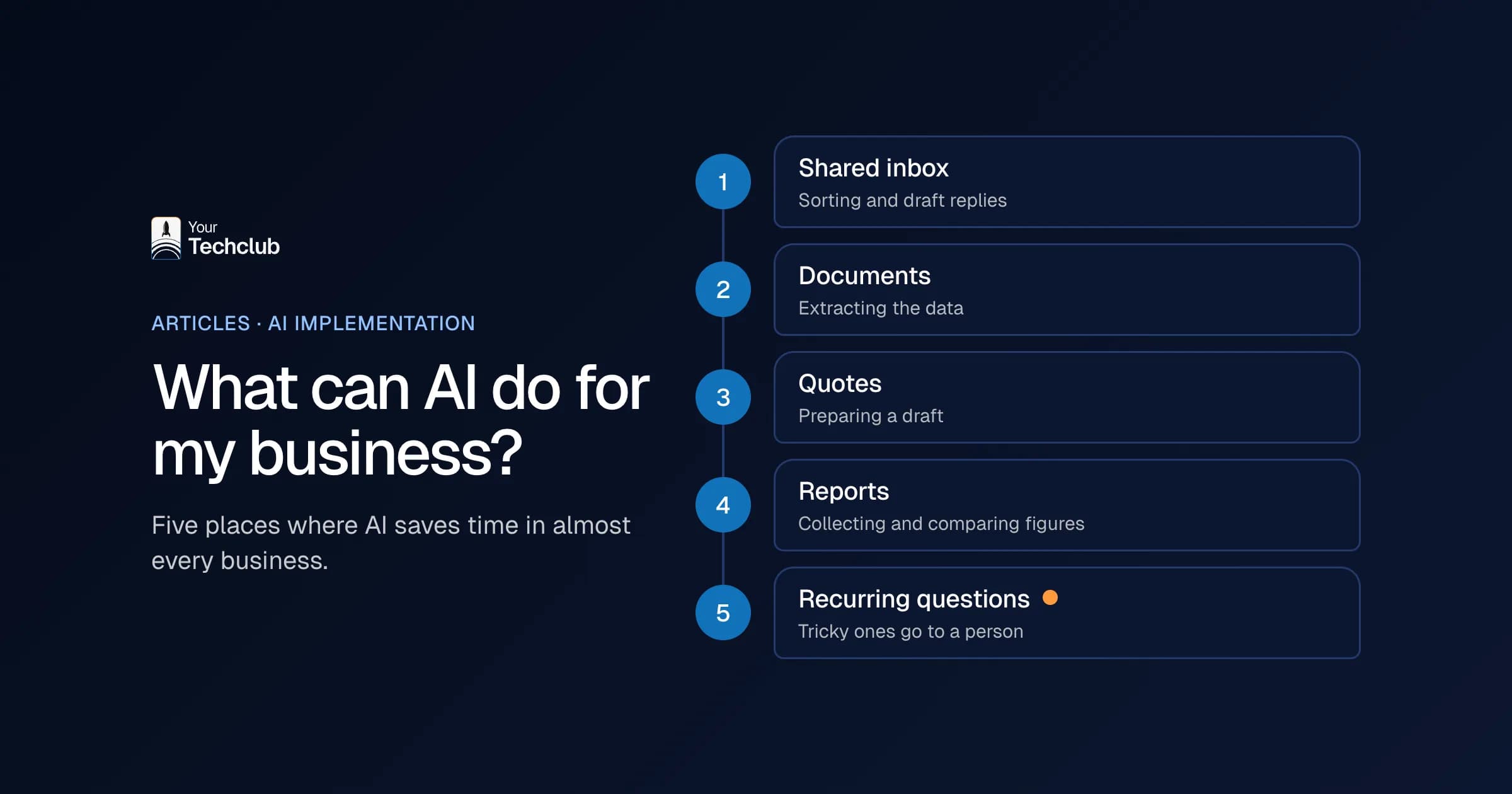
AI saves time almost everywhere in five places: the mailbox, documents, quotes, reports and recurring questions. In all of them the work is repetitive, the information is already in your systems and the result is clear. That is exactly what makes them suitable for a first step, even if your business does little with AI yet.
1. The shared mailbox
Info@, orders@, planning@. Someone reads everything, sorts it and forwards it. AI can take over that sorting, recognise the customer and prepare a draft reply. Your colleague only approves. You can see how that works under shared inbox triage.
2. Reading documents
Purchase invoices, job sheets, CVs, delivery notes and contracts. People retype what is already on paper. AI reads the document, takes out the data and puts it in the right system. Document data extraction does that all day long, even when every supplier sends a different format. What that looks like in real life, you can see in an AI assistant that pre-fills a form from collective labour agreement documents, with the source behind every answer.
3. Quotes and proposals
A large part of a quote is often text you have written before. AI finds the right blocks, fills in customer details from your CRM and prepares a draft. The salesperson decides the price and the tone. See quote generation.
4. Reports and figures
Every Monday the same Excel file, with figures from three systems. AI fetches the figures, builds the report and adds what stands out. That is not a dashboard nobody opens, but a short message about what changed. See management reporting.
5. Recurring questions
From customers ("where is my order?") and from colleagues ("how many days of leave do I have left?"). AI answers them based on your own information and passes on the difficult ones. Look at the examples for support and helpdesk.
In a row, with what AI does and what stays with your team:
| Place | What AI does | What the person keeps |
|---|---|---|
| Shared mailbox | reading, sorting, recognising the customer, preparing a draft reply | approving, difficult customers |
| Documents | extracting data and putting it in the right system | checking deviations |
| Quotes | choosing text blocks, filling in customer details, making a draft | price, tone and the relationship |
| Reports | fetching figures, comparing, naming notable differences | conclusions and decisions |
| Recurring questions | answering based on your own information | questions that fall outside the agreements |
So anyone wondering "what can AI do for my business?" usually finds the answer in the middle column of this table. Not in a new product or a clever app, but in work your team already does every day. Less exciting than a keynote, but something that pays off.
When AI carries out such a task fully and independently, we call it an AI employee. What exactly that is, you can read in what is an AI employee. For more examples per process, see automating business processes with AI.
Where you start depends on where your hours go. My advice: pick the place where the most work comes back every week and where a mistake costs least. Often that is the shared mailbox or reading documents, because a person can check the result quickly there.
Are you ready to implement AI in your business?
You are ready to implement AI in your business if you can point to recurring work, your data is largely in fixed systems and someone is willing to become the owner. You are not ready yet if nobody knows how the work runs now, or if AI is mainly a must because the competition is doing it.
Signs that you are ready:
- You can name a task that takes hours every week, and you know roughly how many.
- Your customer, order and financial data is in systems such as Exact Online, AFAS, HubSpot or Microsoft 365, not only in loose Excel files. (Exact Online and AFAS are the accounting and ERP packages many Dutch companies use.)
- There is someone in the department who knows the work and has time to help build.
- Staff are already using AI on their own initiative. That is a risk, but also a sign that they want to.
Signs that you are not ready yet:
- The process mainly exists in the head of one colleague.
- You want "something with AI" but cannot name a bottleneck.
That second list is shorter, and that is no coincidence. A bottleneck is a task you can point to, can count and that someone wants to own. If you have one of those, you are further along than you think. Without a bottleneck you are buying a solution looking for a problem.
What can AI not do for your business?
AI cannot repair a messy process, cannot take over responsibility and cannot invent knowledge that is not written down anywhere. It also makes mistakes, and it sounds very sure of itself while doing so. That is why every application needs a person who handles the exceptions and checks the results. Without that person, AI is a gamble.
What I would not do:
- Let AI loose on a process nobody can draw out. Then you automate the chaos, only faster.
- Leave decisions about people to AI. Rejecting a candidate or turning down a customer belongs with a person.
- Expect AI to clean up your data. A CRM full of duplicate customers does not get cleaner with AI, just unusable faster.
This belongs here too: AI sometimes makes things up. That is called an AI hallucination. In a draft email that is manageable, but in an invoice it is not. More situations in which you are better off doing something else are in when not to use AI.
And then there are expectations. An AI application that gets 90 percent right feels like a miracle in a demo. In practice it means that one in ten cases still ends up with a colleague. Count on that from the start. Because those exceptions are exactly what decides whether your team accepts the new way of working or quietly falls back on the old one after three weeks.
What do you do once you know what AI can do?
After this article you have an answer to "what can AI do for my business?". The next question is where to start, and I answer that elsewhere. Pick one task from the five places above now and count for two weeks how often it comes up. After that, have someone work out whether AI really pays off there.
The whole route is in [AI for SMEs: where do you start?](/blog/ai-voor-mkb). There you can read which process to choose first, what it delivers in hours, what it costs and which rules apply. The step-by-step plan for the implementation itself, with management and governance, is in AI implementation in SMEs.
You can do two things today. Put the task that costs your team the most time into the manual work calculator, and you will see what it costs now. If you then want to know where AI really pays off for you, the AI Opportunity Audit works that out in 5 working days. Would you rather decide the top 3 with your management team first? Then the AI workshop is a better fit.
What I would not do: start with ten applications at once. One working application convinces your team more than ten pilots that are half finished. Why pilots so often get stuck, you can read in why AI pilots fail.
How ready is your business for AI? Take the 2-minute AI check
With this AI check you can see in 2 minutes how far along your business is. Answer 8 questions about your work, your data and your people. Each answer scores 0 to 3 points, with a maximum of 24. Your result falls into one of three levels, and each level comes with a concrete next step.
The check does not just answer "what can AI do for my business?", but above all whether you are ready for it now. If you are torn between two answers, take the lower one. That is more honest, because the check is for you.
Question 1. How many hours a week does your team spend on recurring work, such as retyping, sorting and looking things up?
| Answer | Points |
|---|---|
| No idea | 0 |
| Less than 10 hours | 1 |
| 10 to 40 hours | 2 |
| More than 40 hours | 3 |
Question 2. Where is your customer and order data?
| Answer | Points |
|---|---|
| Spread across Excel files and mailboxes | 0 |
| Partly in one system, partly outside it | 1 |
| In one CRM or ERP, reasonably up to date | 2 |
| In one system, with someone responsible for its quality | 3 |
Question 3. Can you draw your most important processes on paper?
| Answer | Points |
|---|---|
| No, it is mostly in colleagues' heads | 0 |
| A few, yes | 1 |
| Most of them, and we actually follow those agreements | 3 |
Question 4. How do your staff use AI now?
| Answer | Points |
|---|---|
| Not at all, or we do not know | 0 |
| Some on their own initiative, without agreements | 1 |
| Many people, with agreements on what is and is not allowed | 2 |
| We already have a first AI application that runs every day | 3 |
Question 5. Do your main systems have an integration (API)?
| Answer | Points |
|---|---|
| I do not know | 0 |
| Mostly old or locally installed software | 1 |
| Mostly cloud services such as Exact Online, AFAS, HubSpot or Microsoft 365 | 3 |
Question 6. Who will own an AI application?
| Answer | Points |
|---|---|
| Nobody has time for that | 0 |
| Our IT supplier | 1 |
| Someone from the department where the work is, with time and a mandate | 3 |
Question 7. What do you want to achieve with AI?
| Answer | Points |
|---|---|
| Everyone is doing something with AI, so we have to as well | 0 |
| Save costs, but we do not know where yet | 1 |
| Solve a specific bottleneck, such as a sales support team that is falling behind | 3 |
Question 8. How does management view an investment in AI?
| Answer | Points |
|---|---|
| Seeing is believing; there is no budget | 0 |
| A small experiment is allowed | 1 |
| There is budget for research and a first application, if the business case adds up | 3 |
What does your score mean?
Add up your points. Each result gives a different answer to the question "what can AI do for my business?", and therefore a different next step.
0 to 8 points: the basics first. Your business is not ready yet to let AI work along in your processes, and that is not a problem at all. Start with your people: let them work with AI safely and smartly, and find out together where things get stuck. Next step: read what your staff need to know about AI, or plan an AI workshop with your management team.
9 to 16 points: plenty of opportunities, no focus yet. The basics are in place, but you do not yet know exactly where AI delivers the most. That is the moment to start counting instead of guessing. Next step: put your three most time-consuming tasks into the manual work calculator and read what an AI employee can do for those tasks.
17 to 24 points: ready for the next step. You have recurring work, usable systems and someone who wants to be the owner. Chances are AI will really save hours here. Next step: book the AI Opportunity Audit. In 5 working days you get a fixed report with your best opportunities, and with the places where you are better off not starting.
Example: how to read a result
This is a fictional example to show how to read the result, not a client. A wholesaler with 25 people fills in the check.
| Question | Answer | Points |
|---|---|---|
| 1. Recurring work | 10 to 40 hours | 2 |
| 2. Customer and order data | partly in one system | 1 |
| 3. Drawing processes | a few, yes | 1 |
| 4. AI use now | some on their own initiative | 1 |
| 5. Integrations | mostly cloud services | 3 |
| 6. Owner | our IT supplier | 1 |
| 7. Goal | save costs, not sure where yet | 1 |
| 8. Management | a small experiment is allowed | 1 |
| Total | 11 |
With 11 points, this company is in the middle level. Look above all at where the points leak away. Not in the technology: question 5 scores the maximum. Instead, in ownership (question 6) and focus (question 7). Those are exactly the two things no software solves. So the honest answer to "what can AI do for my business?" here is: not much yet, until one task has been counted and one colleague becomes the owner. If this company sorts out those two, it is already at 15 points, with the highest level within reach.
Frequently asked questions
Is AI only for large companies?
No. In a company of 20 people too, time goes into a shared mailbox, invoices or quotes. Use does grow with size, though: according to CBS, 27% of Dutch companies with 10 to 50 employees used AI in 2025, compared with 66% of companies with 250 or more.
Where do I start once I know what AI can do?
With one task, not with a tool. Count for two weeks how much time that task takes and have someone work out where AI really pays off. The whole route, with costs and rules, is in AI for SMEs: where do you start?.
Do I need an IT department to apply AI in my business?
No. You do need someone who knows the work and wants to become the owner. You can outsource the technology. Also read AI implementation without an IT department.
Is it safe to process customer data with AI?
It can be, if you agree where the data is stored, who can access it and what the supplier may do with it. The GDPR simply applies. What else you need to arrange is in EU AI Act and GDPR: what to sort out.
Will AI take over jobs in my business?
AI takes over tasks, not complete roles. The time that is freed up usually goes to work you do not get round to now. What you do with that time is your choice.