

In this article
- Which processes can you automate in an accountancy firm?
- How do you automate chasing records?
- How do you automate purchase invoices for several clients?
- How do you automate bank lines without a reference?
- How do you automate the periodic check per client ledger?
- How do you prepare year-end work with AI?
- How do you automate standard client questions?
- In which order should you tackle accountancy automation?
- What should you watch with access rights and the GDPR?
- Frequently asked questions
You do not do accountancy automation in one go, but process by process. A firm that wants "something with AI" usually buys a tool. A firm that knows which process swallows the hours builds something that keeps running. In this article I go through six processes that come back in almost every bookkeeping and accountancy firm. For each process you read the steps, what AI does and who checks afterwards.
What we build for firms and how a project runs is on AI for accountancy and bookkeeping firms. This piece goes one layer deeper. It belongs to the step-by-step plan for automating business processes with AI. If you look after the books of one company, AI bookkeeping is a better fit.
The examples use Dutch software, because that is what firms here run on: Twinfield and Exact Online for accounting, Nmbrs and Loket for payroll. The approach works the same in other packages.
Which processes can you automate in an accountancy firm?
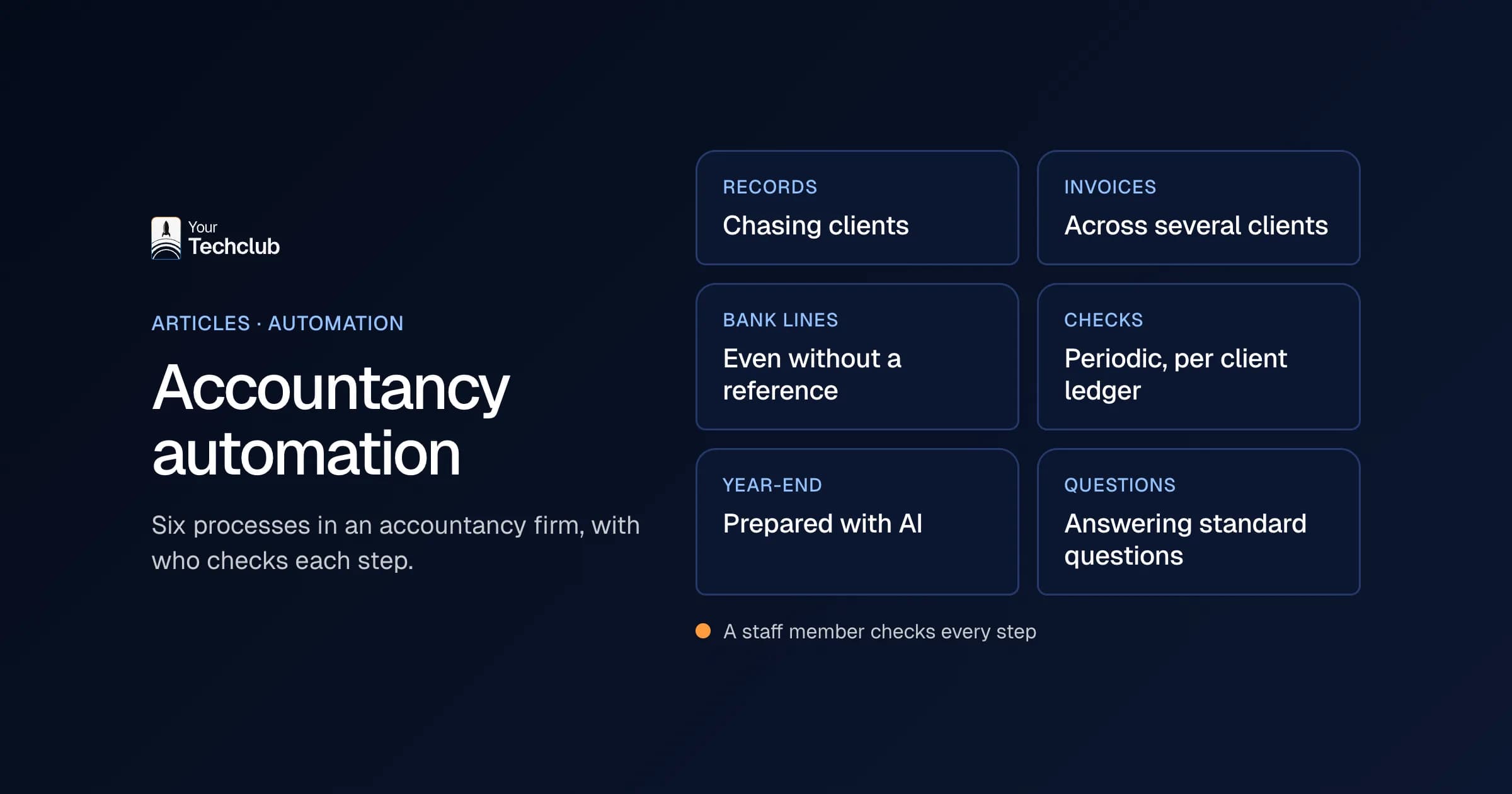
In an accountancy or bookkeeping firm you can mainly automate the preparatory work: chasing records, processing purchase invoices, proposing entries for bank lines without a reference, checking client ledgers periodically, preparing year-end work and answering standard client questions. Those six processes come back every month or year, for every client. The judgement stays with the staff member.
| Process | When it starts | What AI does | Who checks |
|---|---|---|---|
| Chasing records | Client deadline has passed | Sees what is missing, drafts a reminder | Staff member sends it |
| Purchase invoices | Invoice comes in | Picks the client ledger, reads it, proposes an entry | Staff member posts it |
| Bank lines without a reference | Package finds no match | Finds the matching item, proposes an entry with a reason | Staff member approves |
| Periodic check | End of month or quarter | Runs fixed checks across all client ledgers | Staff member works through the list |
| Preparing year-end work | Start of year-end season | Checks questionnaires, compares with last year | Staff member assesses |
| Standard client questions | Email comes in | Pulls up the client file, writes a draft | Staff member sends it |
A process is suitable for accountancy automation if it comes back every period, follows the same steps per client and a staff member can check the result quickly. Client due diligence (KYC) and payroll changes also belong on this list. Those are already worked out under KYC checks and payroll changes, so I leave them out here.
Familiar to many firms: the hours are not in the bookkeeping itself, but in everything around it, such as chasing a missing record or working out a bank line without a reference. That is why this explanation starts with chasing records.
How do you automate chasing records?
You automate chasing records by recording, for each client, what has to come in each period. After the deadline AI checks what is missing and prepares a reminder per client. Then the staff member sends it, or calls the client if there is more going on. That way you keep one list instead of ten mailboxes.
Step by step it looks like this:
- Record what has to come in. Per client and per period: which bank statements, which invoices, which cash book.
- Let AI check after the deadline. It looks in the package and the upload folder to see what is and is not there.
- Prepare a reminder. Per client a draft listing exactly the missing records, in the tone of your firm.
- Then the staff member sends it. Or picks up the phone, if it is already the third reminder.
- One list every Monday. Who still has to send what, sorted by deadline.
What I would not do: send reminders automatically to a client with whom something is going on right now. A strict reminder to a client who just had a bad month costs you more than it brings in.
How do you automate purchase invoices for several clients?
You automate purchase invoices in four steps: collect them, pick the right client ledger, read them and propose an entry with nominal account, VAT code and an explanation. The reading is the easy part. The hard part is that invoices for dozens of clients arrive by email, upload portals and sometimes WhatsApp. That is where the gain starts.
- Collect in one place. One address or one upload route per client, so nothing gets stuck in a personal mailbox.
- Pick the client ledger. AI recognises from the name, address or VAT number which client an invoice belongs to. If it is unsure, the invoice goes to a staff member.
- Read and propose. Amount, date, supplier, nominal account and VAT code, with a short explanation of why.
- Check and post. Then the staff member reviews the proposal and posts it.
Later you can agree that known, recurring invoices go through within fixed rules. Just do not start there. Watch along for a few weeks first, so you see where the model hesitates. Our AI employee for invoice processing does exactly this part.
A proposal without an explanation is not worth much, by the way. That is why we show where every proposal comes from. For how that works in another sector, see an AI assistant that pre-fills forms from documents: no source, then no answer.
How do you automate bank lines without a reference?
You automate bank lines without a reference by sending only the lines your package cannot match itself to AI. AI looks for the open item, checks how earlier payments from the same party were posted and makes a proposal with a reason. Then the staff member approves or adjusts it. Your package already handles the rest.
Most packages automatically match a payment to an invoice when the amount and reference agree. It gets tricky with a payment without a reference, a part payment or a description like "see email". That is where the manual work sits.
- Let the package match first. Anything that already goes automatically does not need AI.
- Send the rest on. Only the lines without a match.
- Look it up. AI checks open items, earlier entries for the same counterparty and, where available, the client's email.
- Propose, with a reason. For example: "Probably a part payment on invoice 2026-118, the amount matches the first instalment."
- Approve or adjust. With part payments and items that cancel each other out, a person always looks.
The goal of accountancy automation here is not that AI posts entries itself. The goal is that the staff member looks at each line for a few seconds instead of searching for a few minutes.
How do you automate the periodic check per client ledger?
You automate the periodic check with a fixed checklist that AI runs across all client ledgers at the end of every month or quarter. Think of missing statements, unusual VAT codes and growing open items. The result is a work list for the staff member, sorted by urgency. So AI does not correct anything itself.
- Draw up the checklist. Start with five to ten checks your team now does by hand.
- Record the exceptions per client ledger. A client with reverse-charge VAT gets different rules from an online shop.
- Let AI run the checks. Across all client ledgers at once, at a fixed moment.
- Work through the list. The staff member then only looks at what deviates.
This may well be the biggest gain of accountancy automation, and also the least visible. Mistakes you now only spot at the close, you then see a month earlier. For this process we have worked out the AI employee for month-end close automation.
How do you prepare year-end work with AI?
You prepare year-end work with AI by automating the questionnaire, the records and the comparison with last year. AI checks whether the questionnaire comes back complete, gathers the records and flags items that differ sharply from last year. The staff member judges whether there is a good reason for it. The review itself remains human work.
- Send out the questionnaire. Per client, with last year's answers already filled in where possible.
- Check for completeness. If an answer or attachment is missing, a targeted reminder follows.
- Compare with last year. If a cost item suddenly comes out twice as high, AI flags that item.
- Assess and ask questions. That is the staff member's job.
What I would not do: let AI decide whether a deviation is explained. A signal is fine. A judgement, however, belongs with the person who signs.
How do you automate standard client questions?
You automate standard questions by letting AI read the email, pull up the client's file and prepare a draft reply. These are questions about a deadline, an open invoice or a missing record. Then the staff member checks and sends it. Tax questions always go to an adviser.
I draw the line sharply. A draft about a missing bank statement is fine. An answer to "can I deduct this?" always goes past an adviser, even if AI seems to have a good answer. Besides, AI can keep track per client of which questions are still open. That way this process naturally comes together with chasing records.
In which order should you tackle accountancy automation?
Start with the process that has the most hours and the smallest risk. At most firms that is processing purchase invoices or chasing records. Start in one package with a small group of clients, measure for four weeks and only then expand. Each next process then uses the same integration and the same access rights.
My order for accountancy automation at a firm:
- Count for one month how much time goes into the six processes.
- Choose the process with the most hours and the fewest risks.
- Start in the package that holds most of your clients, with a small group.
- Measure after four weeks and only then expand.
That third step is the tempting one to skip. A firm with sixty clients in Twinfield and five in Exact does not start with Exact, not even if the best demo happened to be in Exact. The integrations themselves are under Twinfield integration and Exact Online integration. For payroll it is about Nmbrs and Loket.
What should you watch with access rights and the GDPR?
A firm processes personal data of its clients and their employees. Even with AI, the normal GDPR rules apply. You sign a data processing agreement with every party that processes data for you, including the provider of the language model. You also give the AI access only to the client ledgers it needs for its task.
The GDPR requires a data processing agreement as soon as another party processes personal data on your behalf (article 28 GDPR, EUR-Lex, 2016). With an AI solution there are often two such parties: the builder and the provider of the model. So ask about both.
Access rights per client ledger are the foundation here, not a detail. An agent that prepares invoices for client A has no business looking at the payroll of client B. More on the rules is in EU AI Act and GDPR: what to sort out. Your Tech Club itself is certified for ISO 27001 by Kiwa. That certification covers our organisation and way of working; what a solution for your firm has to arrange, we agree per project.
Frequently asked questions
Which process should a bookkeeping firm automate first?
Usually processing purchase invoices for several clients, or chasing records. Those processes come back every month, have a lot of volume and a staff member can check the result quickly.
How do you measure whether the automation works?
Count the time per process for one month beforehand. Measure again after four weeks, plus the number of proposals the staff member had to change. If the time drops but the number of corrections rises, the rules per client ledger need work.
Does it work if clients use different packages?
Yes, but start in the package with the most clients. You set up each integration separately, such as Twinfield, Exact Online, Nmbrs or Loket, with access rights per client ledger.
Will AI replace the accountant?
No. AI prepares work and flags deviations. Professional judgement, responsibility and the signature stay with the accountant.