

Golf Amsteldijk: a day pass booking app in four steps
A day pass booking app on the existing WooCommerce store: book in four steps and pay with iDEAL, online and at the service kiosk in the clubhouse.
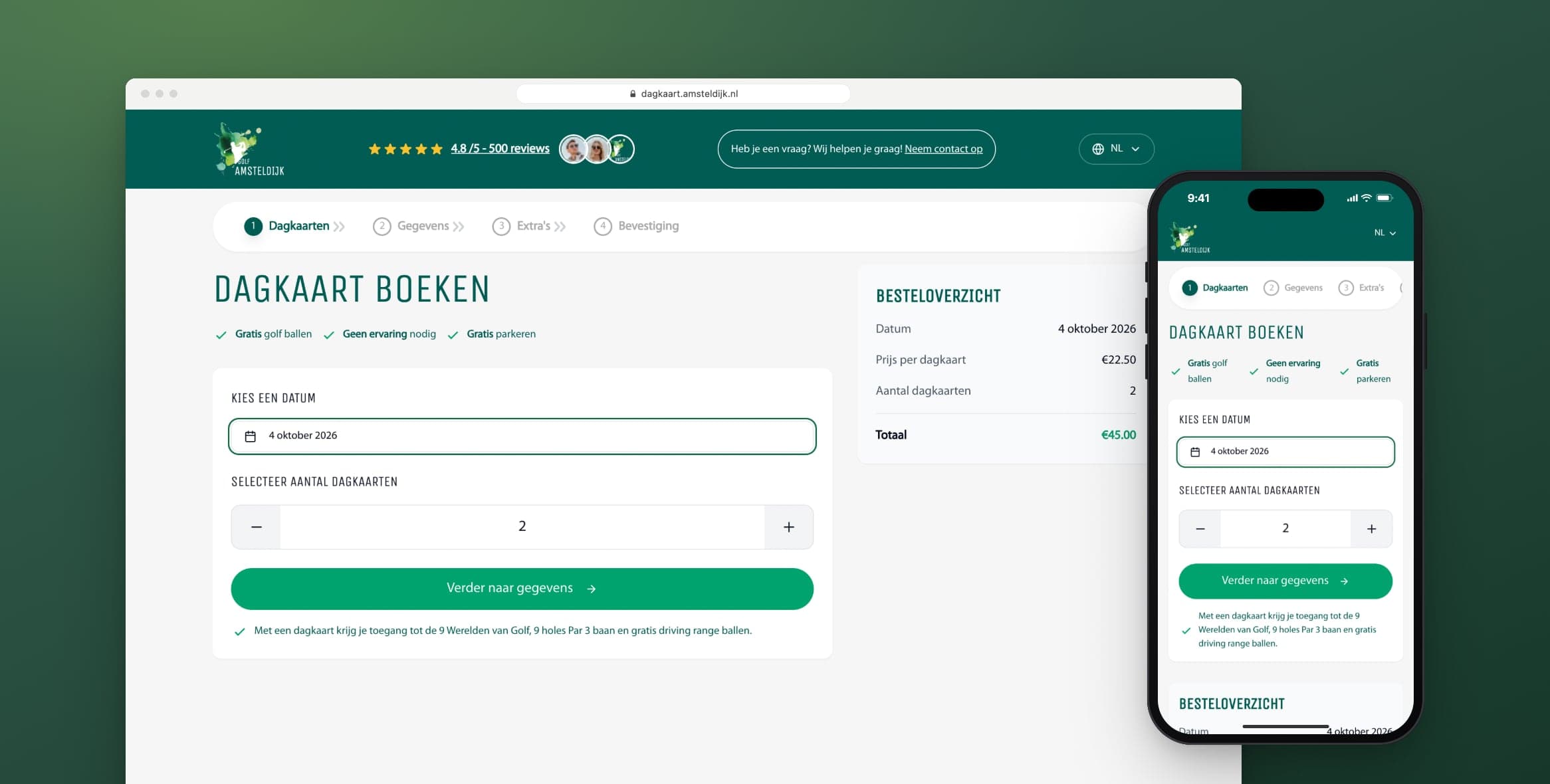
Golf Amsteldijk in Amstelveen has a 9-hole A-status course, a par 3 course, the 9 Werelden van Golf (9 Worlds of Golf) and a driving range. With a day pass, you can play there for a day without any experience. We built the club's day pass booking app at dagkaart.amsteldijk.nl, where golfers book in four steps and pay with iDEAL.
The app runs on the WooCommerce store of amsteldijk.nl, the club website we also designed and built. A service kiosk in the clubhouse and a membership sign-up form followed later. On this page you can read why we kept the existing store, and why that was the best decision of the project.
The project in brief
- Client
- Golf Amsteldijk
- Sector
- sport and leisure
- What we did
- four-step booking flow, WooCommerce integration, iDEAL payment via Mollie, rental sets and guest details in one order, three languages, shared cookie consent, app and kiosk mode for the service kiosk, membership sign-up form with digital signing
- Technology
- React and TypeScript, Supabase Edge Functions, WooCommerce REST API, Mollie, Stiply, Google Tag Manager with Consent Mode
- Period
- since February 2025, then extended step by step
What did the day pass booking app need to do?
A day pass is not an ordinary online store product. The golfer chooses a day to play and a number of passes. Anyone coming with friends also wants everyone to get their own confirmation. Anyone without clubs wants to rent them at the same time. And because no experience is needed, the booking has to make sense without any golf knowledge.
I thought that last point mattered most. The people buying a day pass have often never set foot on a golf course. Words like handicap or A-status mean nothing to them. So in the rental set step, the app explains in a short list what equipment you need.
Why did we build on the existing store?
Products, prices and discount codes were already in WooCommerce, and payments already ran through Mollie. We did not replace that store. The booking app is a separate app on its own address that talks to the amsteldijk.nl store in the background. That way, the club did not end up with a second admin environment.
I often see this go wrong at clubs and small businesses. First a new tool arrives with its own admin, and a year later prices sit in two places, each slightly different. We wanted to avoid that here. Day passes and rental sets are products in two dedicated categories in WooCommerce. The app fetches them from there and creates the order there too. When the club changes a price, it applies in the app straight away.
The WooCommerce and Mollie keys are also kept out of the browser. The app talks to both systems through Supabase Edge Functions, so those credentials stay on the server side. You can read more about how integrations like this work on our page about integrations.
How does the day pass booking app work?
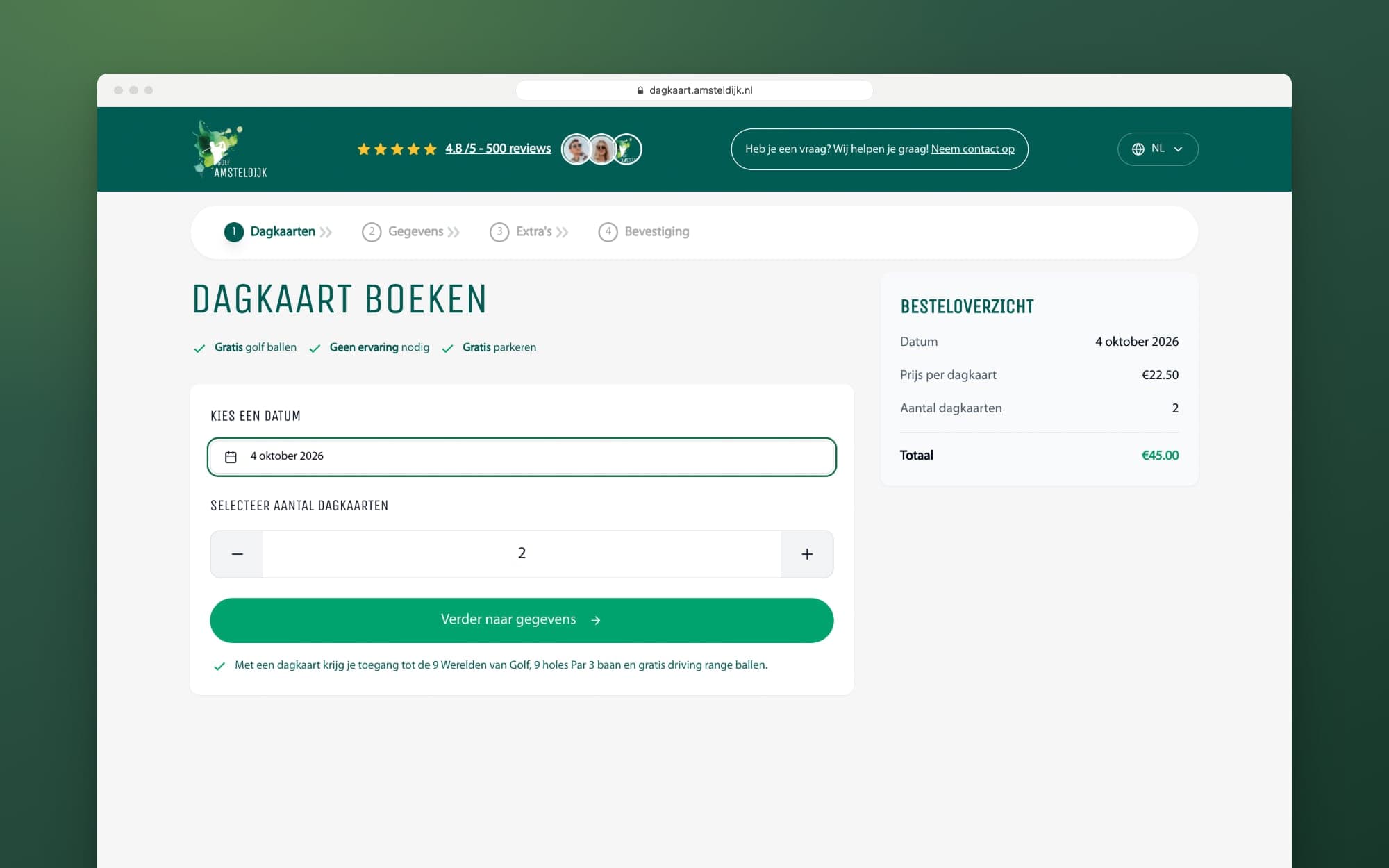
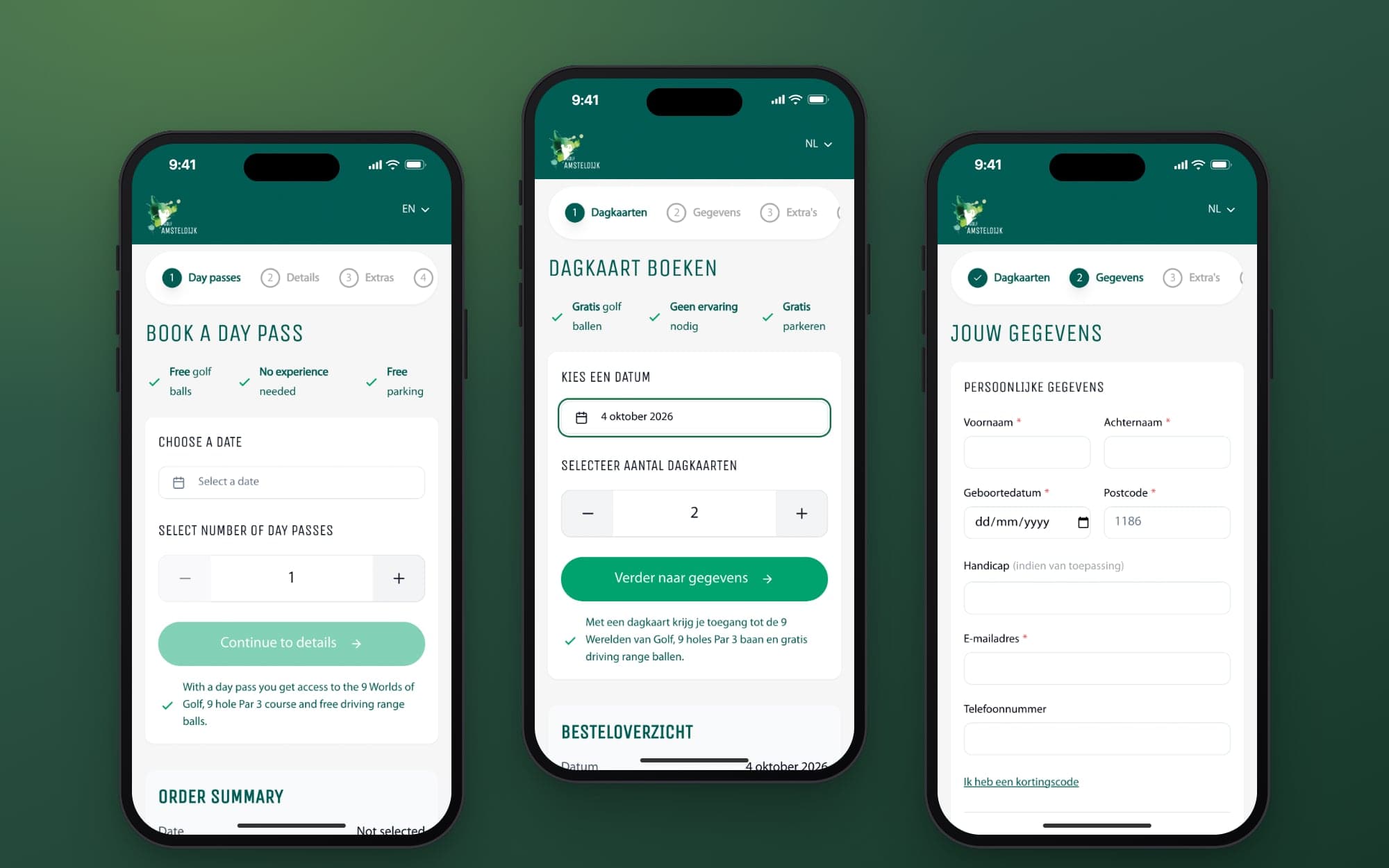
Booking takes four steps. You choose a date and the number of day passes, enter your details, rent clubs if you need them and pay with iDEAL. An order summary next to the form keeps track of the date, the number of passes and the total. On a phone, that summary sits below the form.
In the first step you pick a date in the calendar. The playing date goes into the order as a fixed day, so a time zone difference can never shift it by a day. It sounds like a detail, but anyone who has ever stood at the barrier on the wrong day knows better.
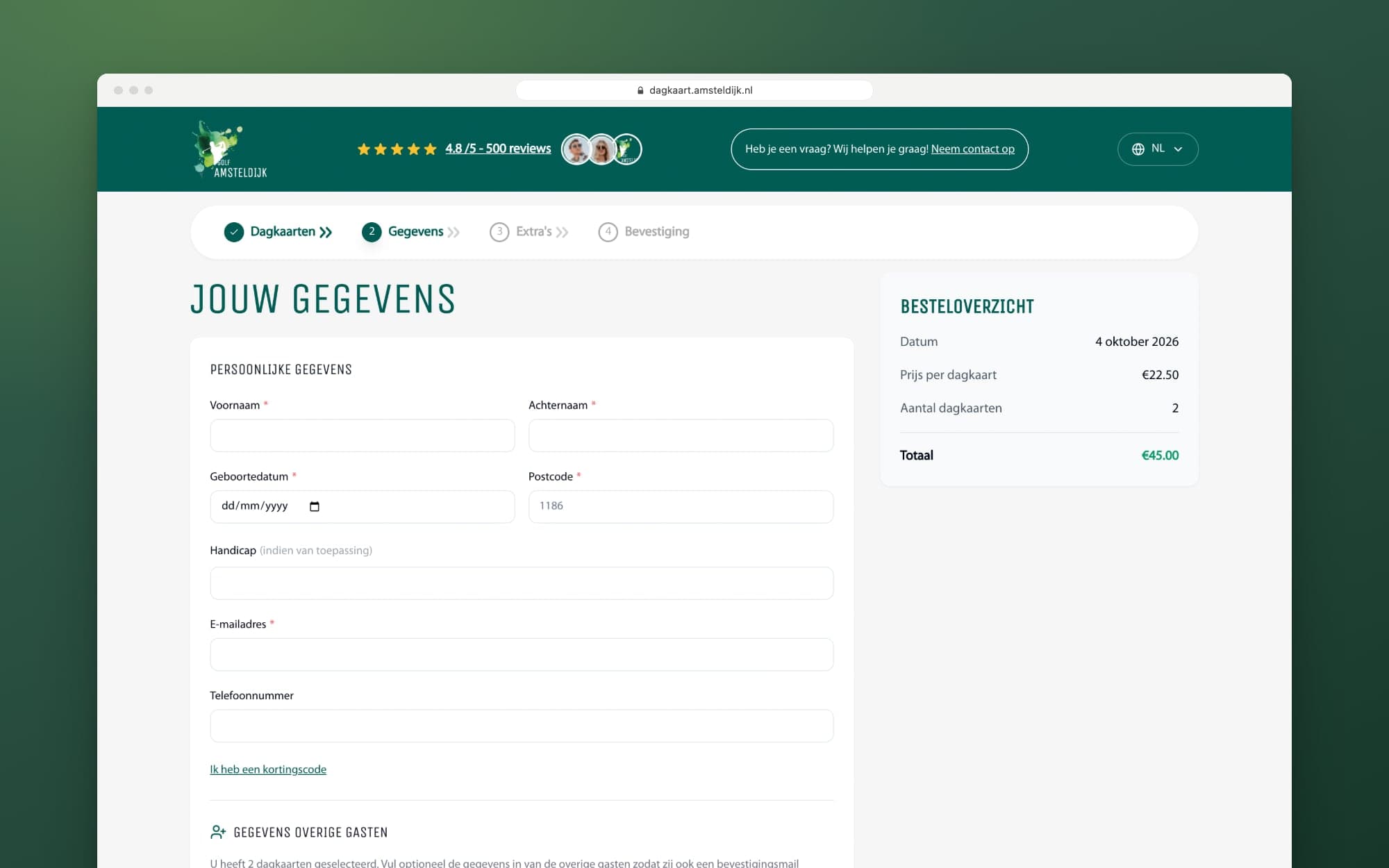
Next you enter your details, optionally with your handicap and a discount code. If you book more than one day pass, you can also enter the details of your playing partners. They then get their own confirmation email. In the third step, if you don't have golf equipment yet, you choose a rental set. That ranges from a starter kit to a full set with bag and trolley, with a maximum of six per order.
How do you pay for a day pass?
The last step is paying with iDEAL via Mollie. At that moment the app creates the order in WooCommerce, with the Mollie payment ID attached. After a successful payment you see a confirmation with your booking number and a map showing where the club is. The day pass itself, with a QR code, arrives by email. If the total after discount is zero euros, the app skips the payment step.
Discount codes and promotions
The club creates discount codes itself in WooCommerce. The app checks the code there and applies the discount straight away. Temporary promotions are calculated by the app itself. From December 2025 to January 2026 inclusive, and in July 2026, for example, the second day pass was half price.
Want your own booking or ordering flow on your existing systems? We build web applications that talk to your store or CRM instead of sitting next to it.
See how we develop web applicationsWhat does the design look like?
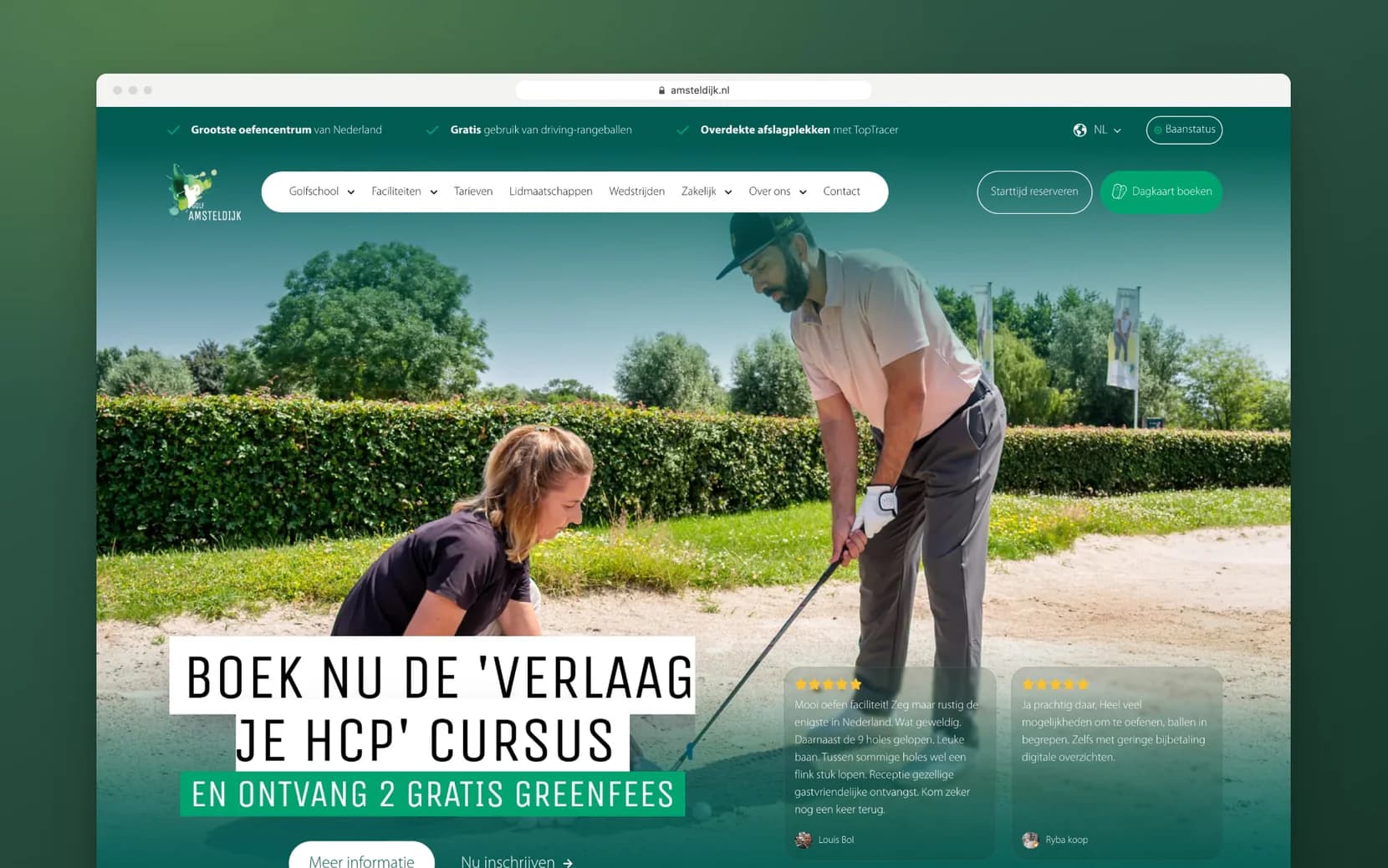
The app uses the same fonts and colours as amsteldijk.nl, so the switch goes unnoticed. The 'Book a day pass' button in the club website's menu leads straight to the app. The sites also share the cookie choice: once you choose on one Amsteldijk site, you are not asked again on the other.
Since April 2026 the app also works in English and German. Each language has its own address, so a link opens directly in the right language. The names of the rental sets and the error messages are translated too.
How does the service kiosk in the clubhouse work?
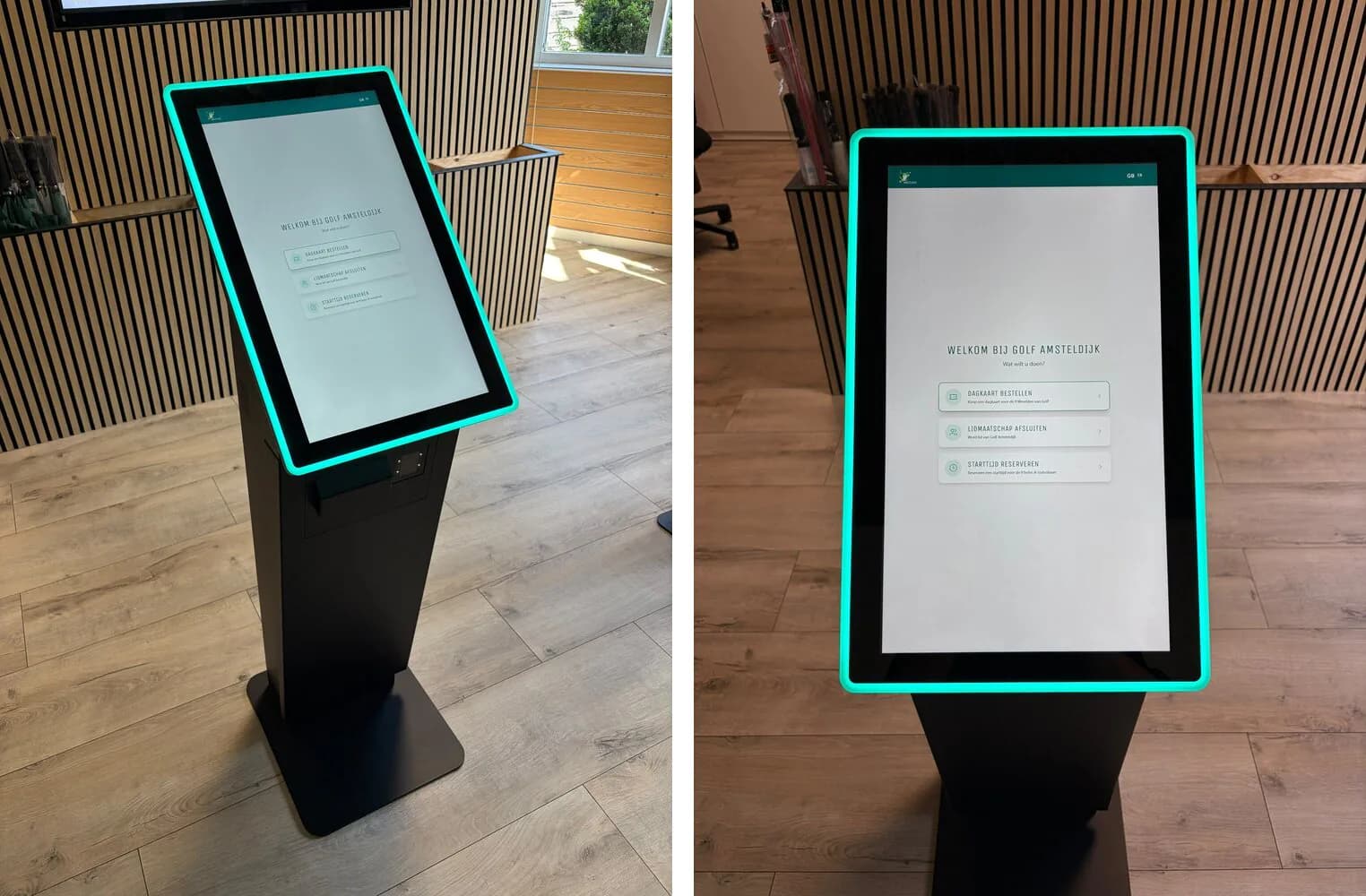
The clubhouse has a touchscreen service kiosk, and in 2026 we built the app that runs on it. The start screen offers three options: order a day pass, take out a membership and book a tee time. The day pass and membership open on the kiosk itself, as the same apps as online, in kiosk mode.
On the kiosk the app is shorter. The date is fixed to today, because anyone buying at the kiosk plays the same day. Payment does not happen on the kiosk itself. The screen shows a QR code, the golfer scans it with their phone and pays there with iDEAL. Meanwhile, the kiosk checks WooCommerce every three seconds to see whether the payment has come in.
Tee times for the A-status course run through Nexxchange. That system cannot be embedded in another screen, so there too the kiosk shows a QR code. New members sign up at lidmaatschap.amsteldijk.nl and sign their contract digitally via Stiply.
What did the booking app deliver?
The booking app, the kiosk and the sign-up form are all in use. Online and in the clubhouse, day pass sales run through the same app, and every booking lands in the same store. Each order gets the label website or kiosk in WooCommerce. So the club can see exactly where each booking was made.
Since the launch in February 2025 we have extended the app step by step. Discount codes, promotions, guest details, three languages and kiosk mode were added. Each extension builds on the same integration. You can read what an integration like this costs on our page about the cost of an integration. For a similar story about a pricing model that ended up in a CRM, see the case of De Duurzame Jongens.
Do you sell something that doesn't fit a standard online store? Show me how it works now, and we'll look at what could be smarter.
Book an intro call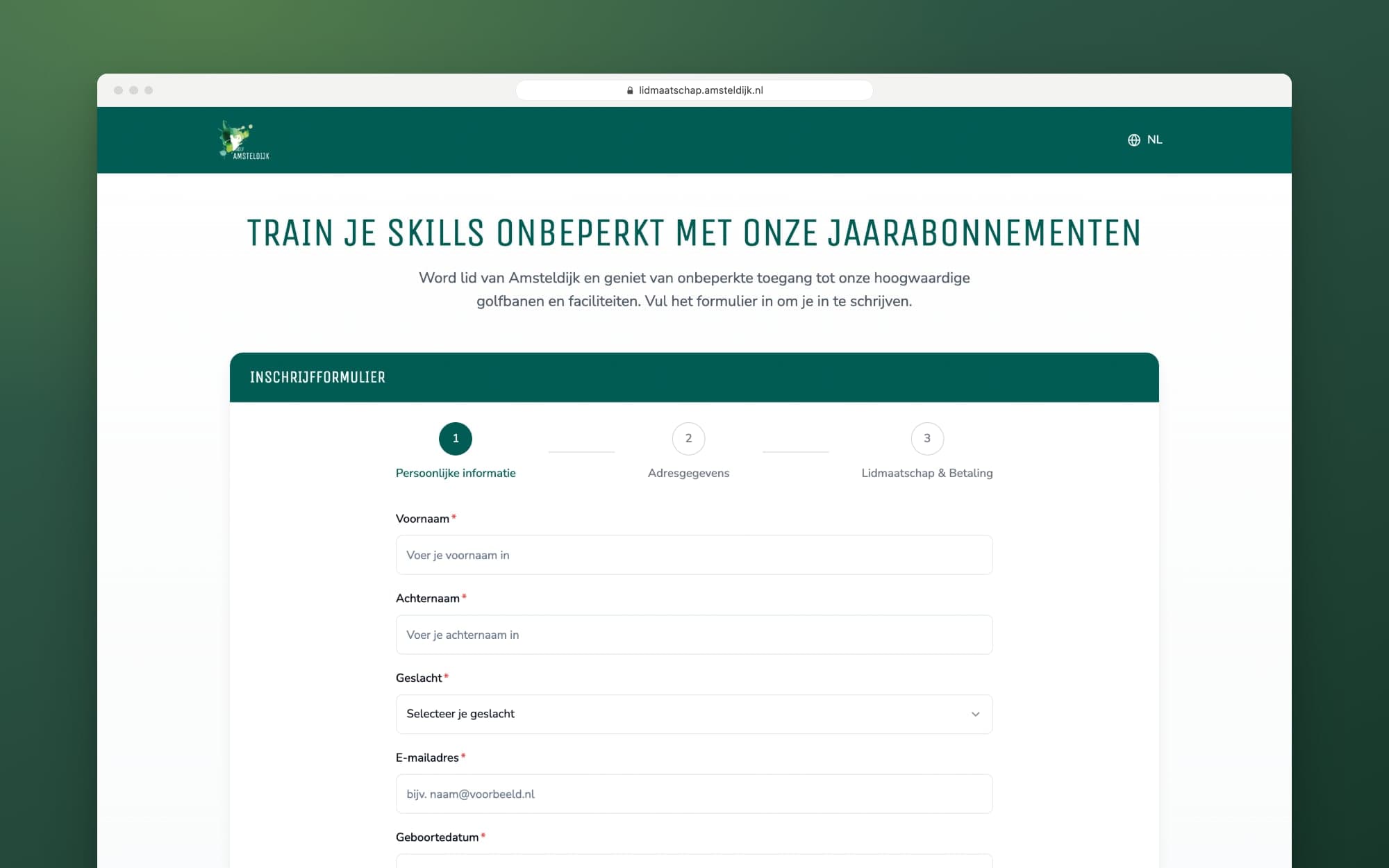
Updated
Get in touch with us directly. We'll get back to you as soon as we can


 Your message goes straight to our team in Amsterdam.
What did Your Tech Club build for Golf Amsteldijk?
The day pass booking app at dagkaart.amsteldijk.nl, with the WooCommerce integration and iDEAL payment via Mollie. Also the app for the service kiosk in the clubhouse, the kiosk mode of the booking app and the sign-up form at lidmaatschap.amsteldijk.nl. We also designed and built the club website amsteldijk.nl.
Why wasn't the amsteldijk.nl online store replaced?
Products, prices, discount codes and orders were already in WooCommerce. By building the app on top of it, the club manages everything in one place and doesn't need a second system.
How do you pay for a day pass at the service kiosk?
The kiosk shows a QR code. The golfer scans it with their own phone's camera and pays there with iDEAL. The kiosk checks every few seconds whether the payment has come in and then shows the confirmation.
Can the club change discount codes and prices itself?
Yes. Prices, rental sets and discount codes are in WooCommerce, and whatever the club changes there applies in the app straight away. Only temporary promotions, such as the second day pass at half price, are set up by us in the app with a start and end date.
In which languages can you book a day pass?
In Dutch, English and German. The language switch is at the top right of the app. On the service kiosk you choose between Dutch and English.