


In this article
- What is the difference between Shopify and WooCommerce?
- Shopify vs WooCommerce: which do you choose in 5 questions?
- What do Shopify and WooCommerce cost over 3 years?
- When is WooCommerce simply fine?
- When are you better off choosing Shopify?
- How do you connect Shopify or WooCommerce to Exact Online and bol?
- How does migrating from WooCommerce to Shopify work?
- Which choice would I make in your position?
- Frequently asked questions
Shopify vs WooCommerce is rarely a question about software. It is a question about who gets out of bed at three in the morning when your online store is down. With Shopify, that is Shopify. With WooCommerce, it is you, or your agency.
Let me be honest straight away: we build new online stores on Shopify or as custom builds, and no new WooCommerce stores. We do migrate from WooCommerce to Shopify, and we connect both to systems such as Exact Online and bol. Even so, I think WooCommerce is a fine choice for some business owners, and you will read that below too. You get a decision tree of five questions, the cost build-up over three years and the steps of a migration.
What is the difference between Shopify and WooCommerce?
Shopify is a platform you rent: you get the software, the hosting and the security in one subscription. WooCommerce is free open-source software that runs on WordPress, on your own hosting. With Shopify, Shopify takes care of the technology. With WooCommerce you take care of it yourself, or you hire someone to do it for you.
That is why Shopify vs WooCommerce is really the choice between renting and buying. A rented house is ready quickly and the landlord fixes the boiler. A house you own can be rebuilt however you like, but the leak is yours.
| Topic | Shopify | WooCommerce |
|---|---|---|
| Cost structure | Fixed monthly subscription, plus payment fees and apps | Software free; you pay for hosting, theme, extensions and maintenance |
| Management | Updates and security by Shopify | You arrange updates of WordPress, WooCommerce and plugins yourself |
| Plugins and apps | Apps from the Shopify App Store, often with a monthly fee | Thousands of WordPress plugins, free and paid, of varying quality |
| Integrations with Exact and bol | Through apps or a custom integration on the Shopify API | Through plugins or a custom integration on the WooCommerce API |
| Scale | Hosting grows with you; peak traffic is Shopify's problem | Depends on your hosting and how well the site is built |
| Ownership | Your data is yours and exportable, the platform is not | You own the code, the site and the data completely |
With Shopify you pay monthly for peace of mind, with WooCommerce you pay in hours for freedom.
I hear a lot of misunderstandings about ownership. With Shopify too, your products, customers and orders are yours, and you can export them. What you do not own is the software. If Shopify drops a feature, you have little say in it. With WooCommerce you can change everything, but then you are also responsible for everything you change.
Shopify vs WooCommerce: which do you choose in 5 questions?
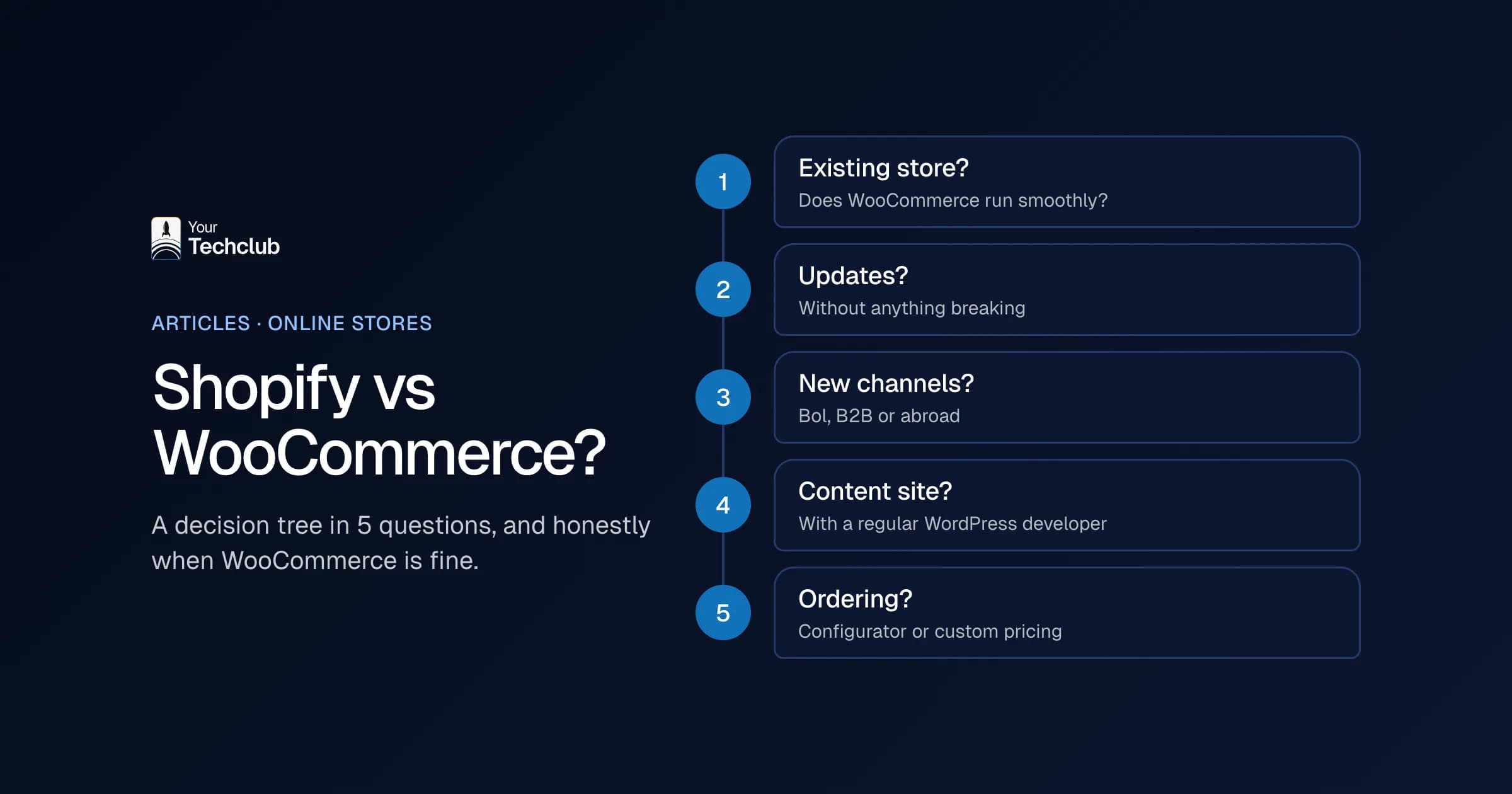
Go through these five questions in order. If you already have a stable WooCommerce store with no growth plans, you usually stay put. If you are starting fresh, sell through several channels or your store breaks with every update, the tree almost always points to Shopify. Only a very specific ordering process calls for a custom build.
- Do you already have a WooCommerce store that runs stably? Yes: go to question 2. No, you are starting fresh: go to question 4.
- Can you update without anything breaking? Think of the past six months. Yes: go to question 3. No: switching probably pays off, go to question 5.
- Will channels or markets be added in the next two years? For example bol, B2B customers or other countries. No: stay on WooCommerce and arrange good maintenance. Yes: go to question 5.
- Is your site mainly a content site with a small shop attached, and do you already have a regular WordPress developer? Yes: WooCommerce can be fine, although we do not build it. No: go to question 5.
- Do you have an ordering process that a standard online store cannot handle? Think of a product configurator or custom pricing logic per customer. No: choose Shopify. Yes: choose Shopify with custom work, or a custom e-commerce build.
Question 3 is the most important one. Most of the stores I see get stuck were running fine technically. Until a second sales channel was added.
What do Shopify and WooCommerce cost over 3 years?
Shopify costs a fixed monthly subscription plus payment fees per order. WooCommerce itself is free, but you pay for hosting, extensions and above all maintenance. Over three years, the difference in Shopify vs WooCommerce is rarely in the software. It is in the hours for updates, outages and integrations, and in the transaction fees on your revenue.
Shopify's Dutch pricing page lists four plans: Basic, Grow, Advanced and Plus (Shopify, accessed October 2026). Basic, Grow and Advanced are cheaper per month if you pay annually. WooCommerce says you pay no monthly platform fees (WooCommerce, accessed October 2026).
| Cost item | Shopify, year 1 | Shopify, years 2 and 3 | WooCommerce, year 1 | WooCommerce, years 2 and 3 |
|---|---|---|---|---|
| Platform | Subscription per month or per year | Subscription | No platform fees | No platform fees |
| Hosting and security | Included in the subscription | Included in the subscription | Hosting, SSL and backups | Hosting, SSL and backups |
| Build and theme | One-off: theme and set-up | Small changes | One-off: theme and set-up | Small changes |
| Apps or extensions | Often per month per app | Per month per app | One-off or per year per extension | Annual renewals |
| Payment fees | Card rate per order; with an external payment provider an extra 2% (Basic), 1% (Grow), 0.6% (Advanced) or 0.2% (Plus) | Same, grows with your revenue | Your payment provider's rate | Same, grows with your revenue |
| Maintenance | Little: Shopify does the updates | Little | Updates of WordPress, WooCommerce and plugins, testing | Every month again |
| Integrations | Built once, then maintained | Maintenance | Built once, then maintained | Maintenance, also after plugin updates |
A worked example with the percentages: if you use an external payment provider on Shopify Basic and turn over 100,000 euros, you pay 2,000 euros a year extra in transaction fees. Run that with your own revenue, because it adds up fast.
We saw one hidden cost up close at a brand with a large social media following. On its old WooCommerce set-up, every campaign meant the same ritual: scale up the servers in advance, hope it was enough, then scale them back down. That costs money and nerves, and it shows up in no comparison of platform prices. How that ended, you can read in an online store that now handles Black Friday.
When is WooCommerce simply fine?
In the Shopify vs WooCommerce debate, WooCommerce is fine if you already have a well-maintained WordPress site, sell a manageable range and have someone who keeps up with the updates. It also works well if you really want content and shop in one system, with lots of blogs and few products. Switching costs money, so only do it if it delivers something.
I regularly see business owners who think they have to move away from WooCommerce because an agency told them so. Sometimes that is not true. A small store with fifty products, a regular hosting company and no link with bol does not need to go anywhere. In that case a good maintenance contract is smarter than a migration.
What I would not do: switch because Shopify feels "more modern". A migration is a project of weeks, with a risk to your search rankings. You do that for a reason, not for a feeling.
Need help with maintenance? Then look at WordPress maintenance. That is something we do take over. If you want to connect WooCommerce to your accounting system or bol, you can read how that works on WooCommerce integration.
When are you better off choosing Shopify?
Choose Shopify if your online store is growing, if you have traffic peaks, if you sell through several channels or if you have no appetite for server management. Shopify is usually faster as well if your team wants to manage products, promotions and content without a developer. You give up some freedom, but you get a platform that just keeps running.
In WooCommerce vs Shopify, I see a few signs that you are reaching the limit. You no longer dare to run updates, because the checkout broke last time. Or your site slows down as soon as a newsletter goes out. The clearest sign: more than twenty plugins, and nobody knows any more which ones are needed.
Shopify is not a cure-all either. Apps often cost money per month, so ten apps are ten subscriptions. In addition, you are tied to Shopify's rules, for example for the checkout. For most online stores that is not a problem. For a store with a very specific ordering process, it sometimes is.
Do you sell a lot to businesses, with custom price lists per customer or large volumes? Then Shopify Plus comes into view, the plan for larger brands and B2B. You can read more about it on our page about Shopify Plus.
How do you connect Shopify or WooCommerce to Exact Online and bol?
Both platforms have an API, so you can connect either of them to Exact Online, bol and your warehouse. The difference is in maintenance. An integration on Shopify depends on a stable, versioned API. An integration through a WooCommerce plugin also depends on your WordPress version, your hosting and the other plugins.
For readers outside the Netherlands: Exact Online is the accounting package most Dutch companies use, and bol is the largest online marketplace in the Netherlands and Belgium. In practice, this is often the real reason to switch. As long as you only sell through your own online store, it is manageable. As soon as bol is added, your stock has to be correct in two channels. If you sell a product on bol that has just sold out in your online store, you have an angry customer and a performance score that drops.
On Shopify integration you can read which integrations we build for Shopify, such as with Exact Online, bol and ERP systems. For accounting there is the explanation of Shopify accounting integration. Still running on WooCommerce? Then there is also the Exact Online WooCommerce integration.
My advice: do not choose the platform separately from your integrations. First make a list of every system that needs to know about orders, stock or customers. Only then do you choose.
A common scenario: you sell through bol and your own store, and the stock integration lags behind. Then you sell something on bol that has just run out, and you have to cancel. With integrations like that, the stability of the platform matters more than the difference in subscription.
How does migrating from WooCommerce to Shopify work?
You migrate from WooCommerce to Shopify in seven steps: take stock, make a URL list, move the data, build the theme, connect the integrations, set up redirects and measure after go-live. Most of the work is in the redirects and the integrations. Otherwise that is where you lose search rankings and orders.
- Take stock. Which products, customers, orders, plugins and integrations are there? What do you really use and what can go?
- URL list and baseline. Export every URL that has traffic or links, and note your rankings and revenue per channel. Without a baseline, you will not know after the switch whether something went wrong.
- Move the data. Products, variants, customers and the order history. Customer passwords do not come across, so customers get an invitation.
- Build the theme. Preferably not a copy of the old site, but a theme that fits how you sell now.
- Connect the integrations. Exact Online, bol, your warehouse and your payment provider. Test with real orders.
- Set up redirects. Every old URL gets a 301 redirect to the new one. Otherwise you throw away years of Google rankings.
- Go live and measure for thirty days. Check 404 errors, orders per channel and your rankings against the baseline every day.
An example: for a sports nutrition store we moved products, customer data and more than a hundred blog articles from WooCommerce to Shopify Plus, keeping the URL structure. On the first big sale day after that, the store handled 10,500 orders without downtime. You can read about it in the case of a sports nutrition store on Shopify Plus. Never plan a migration like this just before Black Friday. Sounds obvious, yet I get that request every October.
How long a migration takes depends on the number of products and variants, the order history and the number of integrations. After the inventory in step 1, you know. Allow for the order history: old statuses and VAT fields do not always map one to one.
Which choice would I make in your position?
Do you have a small, stable store on WordPress and no links with marketplaces? Stay on WooCommerce and arrange good maintenance. Is your revenue growing, do you also sell on bol or do you want to get rid of your servers? Then choose Shopify. If you are in doubt, first make the list of systems that need to talk to your online store.
So in Shopify vs WooCommerce I do not choose for the software, but for the work that comes after it. An online store is not finished after launch. That is when it starts. The only question is who does that work and what it costs you over three years.
Frequently asked questions
Is Shopify or WooCommerce cheaper?
That depends on your store. WooCommerce has no platform fees, but you pay for hosting, extensions and maintenance. Shopify has a fixed subscription and payment fees. Count the hours for updates and integrations over three years, and the comparison often turns out differently from what you expect.
What extra fees does Shopify charge with a different payment provider?
If you do not use Shopify Payments, Shopify charges an extra transaction fee according to its own pricing page: 2% on Basic, 1% on Grow, 0.6% on Advanced and 0.2% on Plus (Dutch pricing page, accessed October 2026).
Can I move my WooCommerce store to Shopify?
Yes. You can move products, customers and orders. Customer passwords do not come across. The most important work is in 301 redirects for your old URLs and in reconnecting integrations with your accounting system and marketplaces.
Does Shopify work with Exact Online and bol?
Yes, through apps or a custom integration on the Shopify API. Which route fits depends on your number of orders, your VAT situation and whether your bol stock has to be correct in real time.
Does Your Tech Club still build WooCommerce stores?
We do not build new WooCommerce stores. We build on Shopify or as custom builds. We do take existing WordPress sites into maintenance, and we connect existing WooCommerce stores to systems such as Exact Online and bol.