A Shopify store you manage yourself, connected to your accounting
We build Shopify stores with a theme that fits your brand, only the apps you need, and integrations with your accounting, ERP or bol. On WooCommerce now? We'll move you across.
A Shopify store is an online shop on Shopify, a hosted ecommerce platform where hosting, security and peak traffic are handled by the platform itself. The store runs on a theme, built in Shopify's templating language Liquid, and is extended with apps from the Shopify App Store or with custom apps. Through Shopify's API, the store connects to accounting software, an ERP, marketplaces such as bol and a CRM. Shopify Plus is the plan for larger brands, which includes a customisable checkout. Your Tech Club builds Shopify stores, custom themes and integrations from Amsterdam and is ISO 27001 and ISO 9001 certified.
Built for clients including Tata Steel, M&G Investments, Digistore24, Toppers in Concert, Bar-le-Duc and Loogman
Sound familiar?
Where your online store is costing you time
Three situations we come across at online stores that are ready for Shopify, or for a better Shopify store.
Your current store takes more upkeep than it gives back
Plugins that stop working together after an update, hosting you have to scale up yourself before a busy day, and a move you keep putting off because you're afraid of losing your Google rankings.
Every order gets retyped
Orders go into Exact Online, SnelStart or Moneybird by hand, and the stock on bol lags behind the stock in your store. It's on the busiest days that mistakes creep in.
The theme almost does what you want
Whatever's missing, you patch with apps. Each one costs a monthly fee and adds scripts, the store gets slower, and what you actually want to show still doesn't quite fit.
Recognise any of these?
Explained
Having a Shopify store built: the decisions up front
Four questions that shape what your store looks like and what it costs.
1
When is Shopify the right fit, and when isn't it?
Shopify fits when you sell from a clear catalogue: products with variants, stock, and payment and delivery the way customers expect. Shopify takes care of hosting, security and platform updates, and the platform absorbs peak traffic without you having to scale up servers.
It's a poorer fit when your sales process is unusual: products customers configure from dozens of options with their own pricing logic, a quote per customer, or an order flow that runs through several systems. We first check whether an integration or a custom app will do. If it won't, we'll say so and recommend a different route.
A clear catalogue with variants: Shopify
Custom pricing or a quote per customer: check first
A sales process that fits nowhere: custom build
2
Apps or custom development?
For many features there's an app in the Shopify App Store. If it does what you need, that's usually the best choice: quick to set up and maintained by its maker. Every app has a cost, though: often a monthly fee, often extra scripts on your pages, and always a dependency on another party.
Custom development pays off when an app doesn't quite do what you want, when you're stacking three apps for one feature, or when it's about your own business logic. We then build a custom app that runs only for your store, or build the feature into the theme itself.
An app if it does what you need
Custom work for your own business logic
Every app weighed on cost and speed
3
When should you move to Shopify Plus or headless?
You don't need Plus for a busy day: Shopify absorbs peak traffic as part of the platform, on a regular plan too. Plus becomes worthwhile when you need something the regular plan doesn't offer, such as a customisable checkout with your own steps and upsells, or several stores under one organisation. Your store stays where it is: it's a different plan, not a new store.
Headless means Shopify keeps handling payments, orders and stock, while the shop itself gets its own front end, built in Next.js for example. That gives you freedom in design, but structural changes then need a developer. So we only recommend it when a theme is genuinely holding you back.
A customisable checkout with upsells: Shopify Plus
Several stores under one organisation: Shopify Plus
A fully custom front end: headless
4
What determines the cost of a Shopify store?
Less the design than what sits behind it: the number of integrations with accounting software, ERP or bol, the product data that needs to be migrated, and the number of markets and languages. And whether you have an existing theme adapted or a custom theme built.
On top of that you pay Shopify directly: a monthly plan, the apps you use and transaction fees on payments. On the costs page you answer a few questions and get a reasoned estimate, not a figure from a calculator.
Existing theme or custom theme
Number and type of integrations
Migrating products, customers and URLs
Markets and languages
Theme
Adapt an existing theme or have a custom theme built
A theme from the Shopify Theme Store is quick to set up and works well as long as your brand and your products fit it. We then adapt it to your brand style, strip out what you don't use and make sure it stays fast on a phone.
A custom theme we build from the ground up in Liquid, Shopify's templating language. It pays off when your brand needs to stand apart, when your products need more explanation than a standard product page allows, or when your current theme mostly runs on apps that fill in what's missing. Your team then builds pages themselves from the sections we create, in Shopify's theme editor.
Existing theme: adapted to your brand style
Custom theme: your own sections your team combines
Either way, as few third-party scripts as possible
Sections in your brand styleyour team builds pages
Integrations
Your store talks to your accounting software, your ERP and bol
An order isn't done until it's in your accounts, the stock has been updated and the parcel is out of the door. If that happens by hand, someone retypes orders every day and you sell something on bol that's already sold out in your store.
So we decide up front which system is the source for stock, prices and customer data, and build the integrations around that. Revenue and invoices go to Exact Online, SnelStart or Moneybird, stock comes from your ERP and matches bol, customer data goes to HubSpot. If there's a good app for it, we use it. If there isn't, we build the integration ourselves. We can connect any system.
Agreed up front which system is the source
An app where it fits, a custom integration where it has to be
From WooCommerce or Lightspeed to Shopify, without breaking old links
A migration rarely goes wrong on the products. It goes wrong on what you don't see: old addresses of product, category and blog pages that lead to an error page after launch, customer data that doesn't come across, and links from other sites that no longer point anywhere.
So a migration with us starts with a list of everything that's there now, including every URL with traffic or links. Where Shopify uses a different address structure, such as /products/ for product pages, the old URL gets a 301 redirect to the new one. That's how RUMAG's store moved from WooCommerce to Shopify, and Kosso Nutrition's to Shopify Plus, keeping products, customer data and URL structure. For Kosso, more than a hundred blog articles came along too.
We look at how you sell, which systems come into play after an order and what's still done by hand. That tells us the plan, the theme, and the apps and integrations you need.
02
Design around your brand and your products
We design product pages, collections and the route to checkout for the phone first. You see and test the design before anything is built.
03
Building the theme in sprints
We adapt an existing theme or build a custom theme in Liquid, with sections your team can combine themselves. After every two-week sprint you see the store take shape in a preview.
04
Integrations and apps
We connect the store to your accounting software, ERP, bol or CRM and set up only the apps you actually need. We test each integration separately, including what happens when a system is briefly unavailable.
05
Migration and redirects
If the store is coming from WooCommerce, Lightspeed or another platform, we move products, customer data and content across and redirect every old URL to the new one. As a trial first, then for real.
06
Launch and the weeks after
We test ordering and payment on phone and desktop, go live at a quiet moment, and keep an eye on orders, integrations and speed in the first weeks.
After launch
MonitoringWe keep an eye on integrations, error messages and the store's load times, including around busy days.
App and theme updatesWe test new versions of apps and of the theme before they go live. Apps that no longer earn their keep are removed.
Keeping integrations currentShopify releases a new API version every quarter. We keep the integrations up to date so they keep working.
Further developmentNew sections, promotions and markets, based on what happens in the store.
Amsterdam
Who you'll talk to
You talk to the founders
No account manager. Your first conversation is with someone who does the work, often with one of the founders. After that you work with a dedicated team from our office in Amsterdam.
The technology follows from what the store needs to do. These are the building blocks we use, and systems a Shopify store often talks to.
What we build with
Shopify and Shopify Plus
Liquid themes
Custom Shopify apps
GraphQL Admin API and webhooks
Next.js for headless
What we connect to
Exact Online
SnelStart
Moneybird
Business Central
bol
HubSpot
Salesforce
Case | RUMAG
From WooCommerce to Shopify, without losing products, customers or links.
A move with everything included
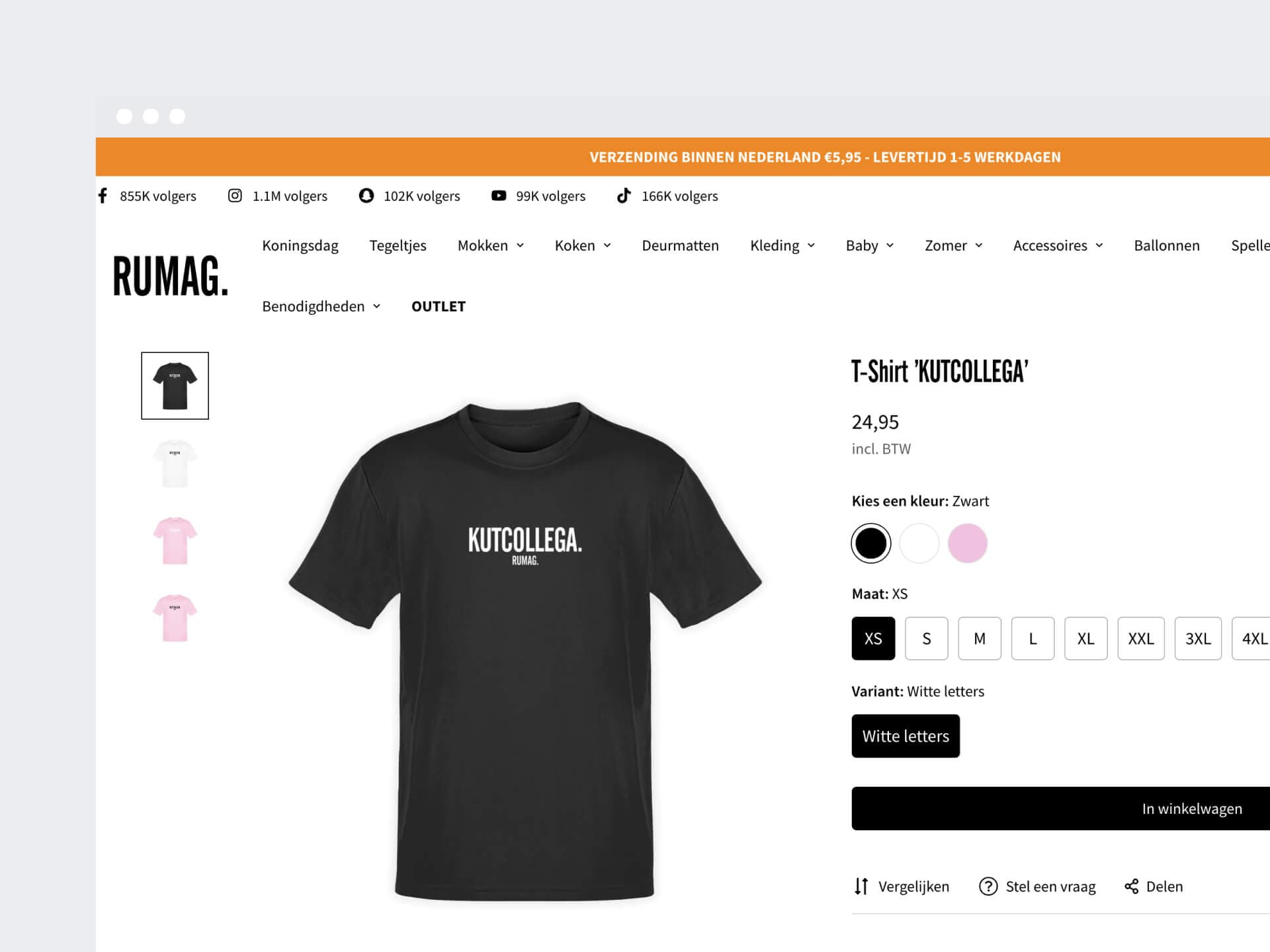
For RUMAG we migrated the online store from WooCommerce to Shopify. Products, customer data and the URL structure came across, so existing links to the store kept working.
Peaks handled by the platform, not the server
During a campaign, traffic arrives all at once. Shopify absorbs that peak as part of the platform, without scaling servers yourself. We were one of RUMAG's first technical partners as it moved into online sales.
Frequently asked questions about Shopify store development
How much does it cost to have a Shopify store built?
That depends mostly on what sits behind the store: an existing theme or a custom theme, the number of integrations with your accounting software, ERP or bol, the product data that needs migrating and the number of markets. On top of that you pay Shopify directly: a monthly plan, the apps you use and transaction fees on payments. On our online store costs page you answer a few questions and get a reasoned estimate, not a figure from a calculator.
Can I build a Shopify store myself?
Yes. Shopify is designed for setting up a store yourself: choose a theme, add products, switch on payments. If you have a small range and don't need integrations, go ahead and do it yourself. We come in when the store needs to connect to your accounting software, ERP or bol, when your brand needs more than an adapted theme, or when you're moving from another platform and don't want old links to break.
Shopify or WooCommerce: which is the better fit?
WooCommerce is a WordPress plugin that you host yourself or have hosted. You get a lot of freedom, but you also handle hosting, updates, security and capacity for busy days yourself. Shopify is a hosted platform: Shopify does that work, and you pay a monthly plan for it. If you have a team that manages WordPress well and a sales process with a lot of its own logic, WooCommerce can fit. If you want the store to simply run and your team to manage products and promotions themselves, we usually recommend Shopify.
Can you connect a Shopify store to your accounting software?
Yes. Orders, payments, refunds and shipping costs can flow automatically to Exact Online, SnelStart, Moneybird or another accounting package, so nobody has to retype them. Many packages have an app for this. If it doesn't suit how your accounts work, we build the integration ourselves. We can connect any system, including your ERP, bol or your CRM.
How do you migrate an online store from WooCommerce or Lightspeed to Shopify?
We start with a list of everything that's there now: products, variants, customers, order history, content and every URL with traffic or links. Then comes a trial migration, which you check before the store switches over. Where Shopify uses a different address structure, the old URL gets a 301 redirect to the new one. That's how we did it for RUMAG, from WooCommerce to Shopify, and for Kosso Nutrition, from WooCommerce to Shopify Plus: keeping products, customer data and URL structure.
When should you move from Shopify to Shopify Plus?
When you need something the regular plan doesn't offer, such as a customisable checkout with your own steps and upsells, several stores under one organisation, or higher API limits because your ERP exchanges a lot of data with the store. You don't need Plus for busy days: Shopify absorbs peak traffic as part of the platform. Your store stays where it is when you upgrade, because Plus is a different plan, not a new store.
Who manages the Shopify store after launch?
Mostly you. You change products, collections, pages and promotions yourself in Shopify and in the theme editor. We keep integrations and apps up to date, test theme updates before they go live and build new sections or features as the store grows. If you'd like to update product copy, collections or stock from a conversation with Claude, you can, using the connector Shopify built for it. What you hand over to us, we agree up front.
How do you get started with Shopify store development?
With a short conversation about your product range, your current store and what happens after an order. After that you'll know which theme, which apps and which integrations fit, and whether Shopify is the right choice. If the biggest problem isn't the store but what happens behind it, such as retyping orders or tracking stock in Excel, the AI Opportunity Audit first maps out where manual work is getting stuck.
Get in touch with us directly. We'll get back to you as soon as we can
Your message goes straight to our team in Amsterdam.
Cookies & privacy. We use functional cookies (always) and analytics and marketing cookies (only with your consent) to improve the site. Read our privacy policy.