

In this article
- How do you know if someone hacked your WordPress site?
- What do you do in the first hour after WordPress gets hacked?
- What do you do if you can no longer log in?
- How do you clean up a hacked WordPress site?
- Do you have to report a hacked website?
- How did the hackers get in?
- How do you stop your WordPress site getting hacked again?
- Is a hack the moment to move off WordPress?
- Frequently asked questions
You open your own site and end up on a casino. Or a customer rings to say Google shows a red warning. WordPress hacked, and now what? First of all: don't panic and start deleting everything. A hack is a nuisance, but you can almost always recover from it. In this article you'll read what to do in the first hour, how to clean up the site and how to stop it happening again.
I'm writing this as someone who maintains and takes over WordPress sites. We don't build new WordPress sites any more, but we do clean them up. As a result, we mostly see the mess afterwards.
A common pattern: the site sends mobile visitors to a fake shop, while everything looks normal on the owner's laptop. Attackers do this on purpose, so it takes longer before anyone notices.
How do you know if someone hacked your WordPress site?
You can spot a hack by behaviour you didn't set up yourself. Think of visitors who get sent to another site, unknown administrators in WordPress, a warning from Google or your browser, or a hosting company that takes your site offline. Often only some of your visitors see it, for example only on mobile.
The signs to watch for:
- Visitors from Google end up on a spam site, but you don't.
- There are administrators in WordPress that nobody recognises.
- Google Search Console reports malware or hacked content.
- Your hosting company sends an alert about suspicious files or spam from your domain.
- Your site suddenly shows pages in a language you don't speak.
Pay attention to the first point. Many hacks leave the owner alone, because a logged-in administrator is less likely to raise the alarm. So always check with a private window on your phone, through Google.
If your site has only become much slower, that is rarely a hack. Usually the cause lies in plugins, hosting or scripts. How to find out is explained in slow WordPress site.
What do you do in the first hour after WordPress gets hacked?
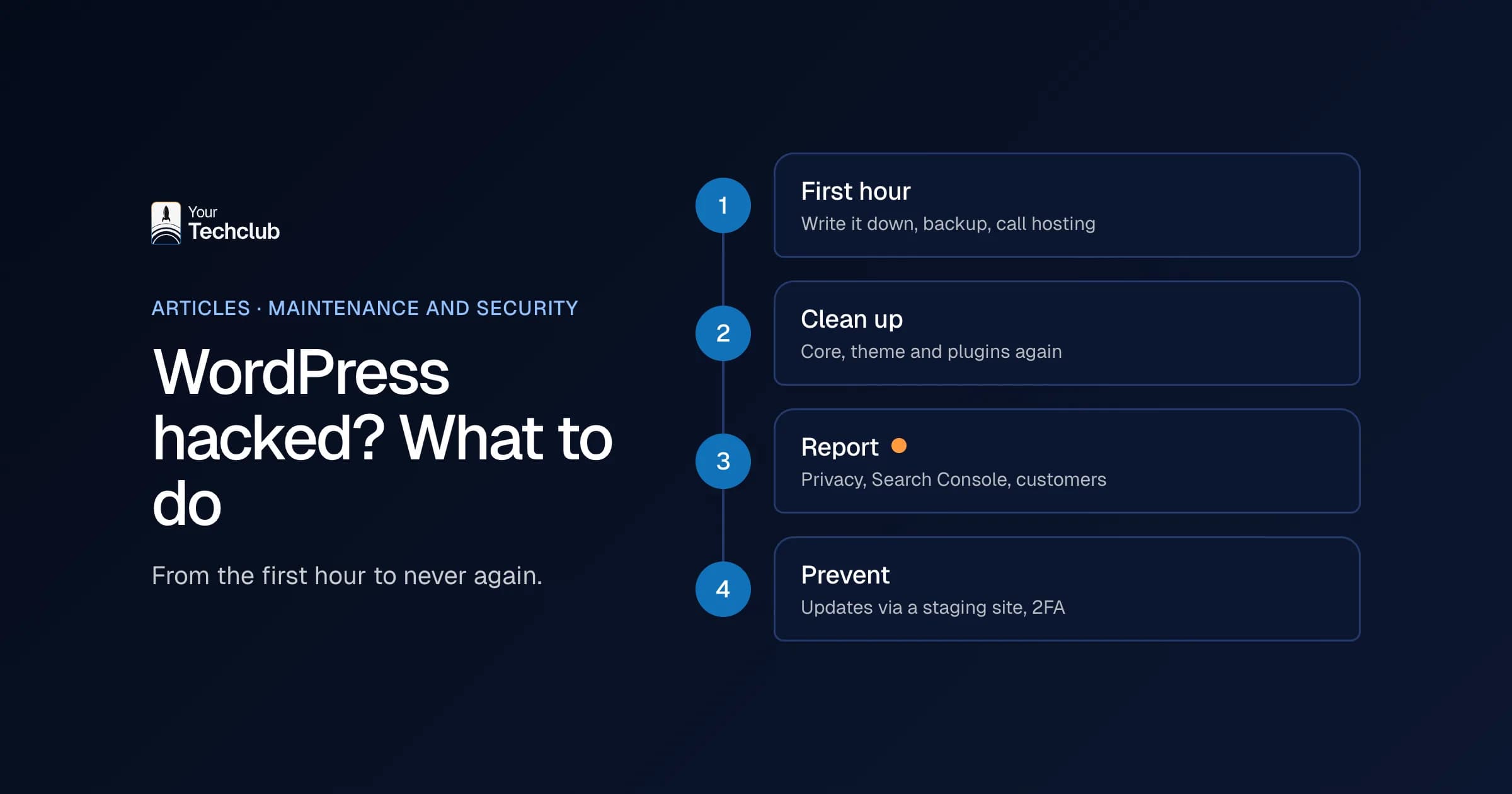
First, record what you see, make a backup of the current state and call your hosting company. Then change the passwords for WordPress, your hosting and your database. Don't delete anything yet. Without that copy, you won't know later how the attacker got in, and then it can happen again tomorrow.
This is the order I follow, in line with the official WordPress help page (WordPress.org, FAQ My site was hacked, updated July 2026):
- Write down what you see. What is happening, since when, and what changed in the last few weeks? A new plugin, a theme tweak, a new user.
- Make a backup of the hacked site. Yes, of the infected version too. You need it to see what changed.
- Call your hosting company. They can see whether other sites on the same server took a hit too, and they can help with log files.
- Change every password. WordPress, hosting, SFTP and database. Do the same for other administrators.
- Log everyone out. Replace the secret keys in wp-config.php, and every active session stops working.
Are visitors at direct risk, for example because your site mimics a payment page? Then take the site offline for a while or put it in maintenance mode. A few hours offline beats customers losing their details.
What do you do if you can no longer log in?
If you can't get into WordPress after a hack, you reset the password through the database. You do that with phpMyAdmin or Adminer, which most hosting companies offer in their control panel. There you change the password or the email address of your account, and then you use "Lost your password?".
Sounds technical, and it is, a bit. If you never work in a database, ask your hosting company or your maintenance provider. One wrong click in the wrong table and you have a broken site on top of a hack.
When you log in, check straight away whether your own account is still an administrator. When attackers get into a WordPress site through a stolen account, they sometimes demote the real owner to editor. Then you no longer see half the settings, and you think everything is fine.
How do you clean up a hacked WordPress site?
You clean up a hacked WordPress site by reinstalling WordPress, the theme and the plugins from the official source, checking the rest of the files and the database, and then updating everything. The alternative is restoring a clean backup from before the hack. That only works if you know for certain when the hack started.
That last part is harder than it sounds. Attackers sometimes sit in a site for weeks before they show anything. If you restore yesterday's backup, you simply restore the back door with it.
When we clean up, we go through this list:
- Reinstall WordPress core via SFTP, not via the button in the dashboard. That button can leave injected files in place.
- Download the theme and plugins again from their makers, and delete plugins you don't use.
- Check files that attackers often abuse, such as .htaccess, index.php and functions.php, by hand.
- Go through all users and remove unknown administrators.
- Search the database for strange scripts and links.
After that, you update everything to the latest version and change the passwords once more. Why twice? Because the first round happened while the attacker may still have been watching.
What you often find when cleaning up: an extra administrator with an innocent-looking name, such as 'wpsupport', and files in the uploads folder that don't belong there. So don't just look at what is broken, but also at what has been added.
Do you have to report a hacked website?
Sometimes, yes. If attackers may have seen or stolen personal data, for example of customers, job applicants or form submissions, it can be a data breach that you have to report to the Dutch Data Protection Authority (Autoriteit Persoonsgegevens). Under the GDPR, you report without undue delay and, where feasible, within 72 hours of becoming aware of it.
That rule is in Article 33 of the GDPR. The only exception is a breach that is unlikely to result in a risk to the people involved (Art. 33 GDPR, gdpr-info.eu, accessed November 2026). So talk to whoever handles privacy in your company on the same day. For an international company with a Dutch office, that may be a colleague abroad; agree in advance who decides.
People often forget two other reports. First, Google: if Search Console shows a warning, you request a review there after cleaning up. Only then does the red warning disappear. Second, your own customers. If someone saw a fake payment page through your site, tell them yourself. That feels awkward, but it costs less trust than when they hear it from someone else.
My advice: write down during the recovery what you found, when you discovered it and which data could have been accessed. With that record, the person who handles privacy at your company can decide whether a notification is needed.
How did the hackers get in?
Usually through a plugin with a known vulnerability that nobody had updated yet. Weak or reused passwords are the second well-known route. An outdated server is the third. WordPress itself is rarely the cause: most of the known vulnerabilities sit in plugins and themes.
The figures confirm it. In 2025, according to Patchstack, 11,334 new vulnerabilities appeared in the WordPress ecosystem, 91% of them in plugins. WordPress core had only 6. It also moves fast: according to the same report, attackers went after heavily exploited vulnerabilities within about 5 hours of disclosure on average (Patchstack, State of WordPress Security in 2026, updated February 2026).
Five hours. That is shorter than the time between the news on Tuesday morning and the moment someone has time for it. That's why "I update once a month or so" no longer works.
And sometimes the hole isn't in WordPress, but underneath it. On 21 October 2026, DigiD (the Dutch government login) and the Dutch tech site Tweakers, among others, went offline because of a vulnerability in PHP, the software on the server. A WordPress update did not fix that; only a new PHP version did. For our maintenance clients, we decided per project with the client what to do that day, and kept everything safe. What the vulnerability meant for websites, you can read in the PHP vulnerability on your website.
How do you stop your WordPress site getting hacked again?
By no longer leaving updates to chance. Update plugins through a staging site as soon as a security update appears, use two-factor authentication, remove plugins you don't use and keep backups away from your server. Also agree who watches for vulnerabilities, and how quickly they act.
The list:
- Two-factor authentication for every administrator.
- As few administrators as possible. An editor doesn't need admin rights.
- Replace or remove plugins without recent updates.
- Daily backups, off your server, and a test restore now and then.
- Someone who checks every day which vulnerabilities are known.
That last one is exactly where things often go wrong. With our WordPress maintenance, a website agent checks versions, alerts and news about vulnerabilities, and prepares an alert for a developer. The developer decides what happens; the agent never changes anything on your live site itself. If something is critical, the right person gets an alert on their phone or by text message straight away, and the SLA sets, per site, the deadline for closing a critical vulnerability. You can read more about that approach under website maintenance with an SLA.
Is a hack the moment to move off WordPress?
Not automatically. A hack says more about the maintenance than about WordPress. However, if your site is a pile of outdated plugins and custom code that nobody understands any more, it is a good moment to check whether a switch delivers more than yet another round of repairs.
What I would not do: decide to replace everything in the week after a hack. Then you are deciding out of fear. Clean the site up first, sort out the maintenance and take another look a few months later with a clear head. Two articles help with that: custom WordPress website or fully custom and the alternatives to WordPress.
If it then turns out that your site needs to do more, for example put leads straight into your CRM, we can help with redesigning your WordPress website. That means a custom site with Strapi, redirects for all your old URLs and no plugins to keep up with. How to move without losing your place in Google is in the website migration checklist.
Frequently asked questions
Can I clean up a hacked WordPress site myself?
You can, if you know your way around SFTP and a database. In that case, follow the steps from WordPress.org. If you're not sure you found everything, have someone check it. Half a clean-up is often worse than none.
Does a security plugin help against a hack?
A security plugin helps with scanning and blocking, but it doesn't replace updates. You have to update a security plugin too, and it doesn't fix an outdated plugin with a hole in it.
How long before the Google warning disappears?
Only after you have cleaned the site and requested a review in Search Console. How long that review takes varies from case to case.
Do you also help if we're not a client?
Get in touch and tell us what you see. Then we look at what it takes to get your site clean and secure.
Sources
- WordPress.org, FAQ My site was hacked, WordPress.org
- Art. 33 GDPR, gdpr-info.eu, gdpr-info.eu
- Patchstack, State of WordPress Security in 2026, Patchstack