

In this article
- What is a website migration?
- What goes wrong most often in a website migration?
- What is on the website migration checklist before launch?
- What is on the website migration checklist for launch day?
- What does the website migration checklist say for the weeks after launch?
- What did we learn from our own website migration?
- Should you migrate and redesign at the same time?
- Frequently asked questions
A website migration rarely goes wrong during the build. It goes wrong on the day the new site goes live and Google can no longer find your old addresses. Your traffic drops, fewer enquiries come in and nobody knows why. This website migration checklist helps you prevent that. Ten steps, spread over the weeks before launch, the day itself and the weeks after.
I'm not writing it only as a developer, either. In 2026 we moved our own Dutch site, yourtechclub.nl, from WordPress to a custom Next.js site, with redirects for the old addresses. And even for us, a check weeks after launch still found old addresses ending in a 404. What we learned from that comes further down.
What is a website migration?
A website migration is any major change in which the addresses, the platform or the location of your website change. Think of a new CMS, a new domain, a new URL structure or different hosting. The more of those things change at once, the bigger the risk that you lose visitors and rankings in Google.
| Type of migration | Example | Risk to your rankings |
|---|---|---|
| Hosting | Same site, different server | Low, as long as the addresses stay the same |
| Platform | From WordPress to Next.js with Strapi, or from WooCommerce to Shopify | Medium to high, the URLs often change too |
| URL structure | /news/ becomes /blog/ | Medium, every URL needs a redirect |
| Domain | From .nl to .com, or a new brand name | High, Google has to learn everything again |
A move from WordPress to a custom site, for example, is a platform migration. In that case the URLs almost always change a little, even if it is only a slash at the end. So a platform move is exactly where a website migration checklist earns its keep.
When is a migration worth the risk?
A migration is worth it when the new site delivers more than the temporary disruption costs. For example, because your editors can finally publish on their own, because forms land straight in your CRM or because you can no longer keep your old platform secure. If you only migrate for a fresher look, a new design on the same foundation is often the wiser choice.
That sounds strict, but a migration always costs something. Even if everything goes well, your rankings move around for a few weeks. So make sure you know what you are doing it for.
What goes wrong most often in a website migration?
Redirects go wrong most often. Old addresses point nowhere, or they all point to the homepage. On top of that, we see forgotten PDFs and images, forms that stop emailing after launch, missing tracking and a staging site that accidentally stays on "noindex".
By the way, Google is clear about that homepage redirect. If you send lots of old URLs to one page that doesn't match them, such as your new homepage, Google may treat that as a page that doesn't exist (Google Search Central, Site moves with URL changes, updated August 2026). In that case your redirect doesn't count, and you lose the rankings.
The other mistakes are less well known, but just as expensive:
- A PDF brochure that went out in a newsletter in 2019 and still pulls in traffic.
- A contact form that emailed the developer on the staging site, and still does after launch.
- An analytics code nobody carried over, so you fly blind for two weeks.
That is why every item on this website migration checklist has a reason behind it.
A common scenario: hundreds of old blog posts are all redirected to the homepage at once, because that is quicker than building a redirect list. Afterwards Search Console shows 'soft 404' reports, and the rankings of those posts are gone.
What is on the website migration checklist before launch?
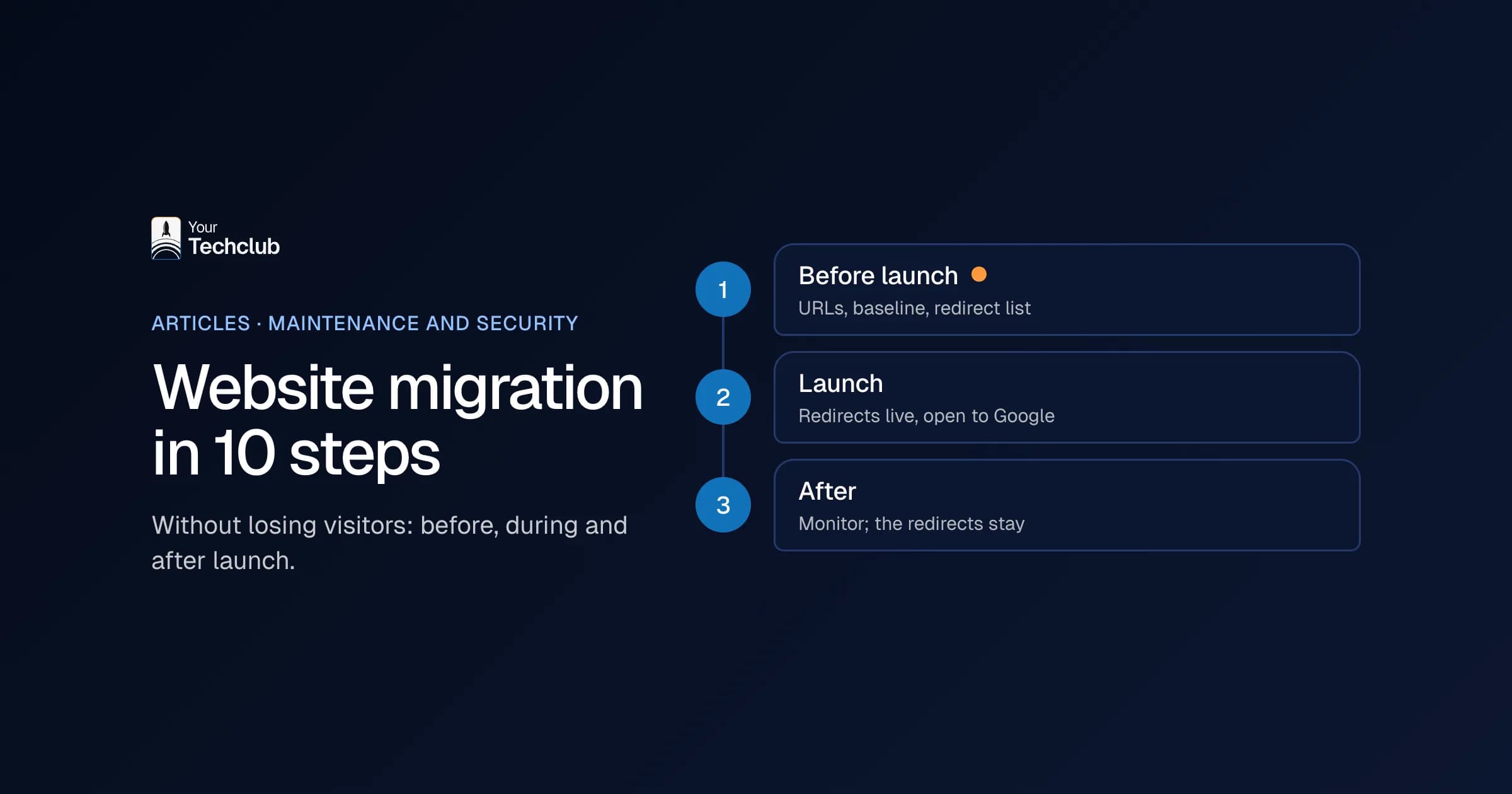
You make a complete list of your old URLs, record how your site performs now and match every old URL to a new one. Then you build the new site on a staging site that Google may not index. These five steps take the most time, and they decide whether launch day goes smoothly.
- List every old URL. Pull them from your sitemap, your analytics, Google Search Console and your server logs. Don't forget images and PDFs.
- Take a baseline. Note your most visited pages, your rankings on key search terms, the number of enquiries per month and the load time.
- Build a redirect list. Every old URL gets one new URL: the page that matches it most closely in content. No chains, no catch-all page.
- Move the content. Copy, images, meta titles and alt texts all come along. You can drop pages without visits and without value, but only with a redirect.
- Build and test in a closed environment. Set the staging site to "noindex", and write down that you have to switch it off again later.
When we move a site from WordPress to custom, we therefore keep URLs the same wherever we can. After all, every URL that doesn't change is one redirect fewer. A small effort that saves a lot later.
What is on the website migration checklist for launch day?
On the day itself, you put the redirects live, remove the block on search engines and submit your new sitemap in Google Search Console. Then you test the forms, the tracking and a sample of old URLs. Pick a quiet day, never a Friday, and make sure someone is around who can step in quickly.
- Put the redirects live. Permanent ones, so 301 or 308. Google advises keeping those redirects in place for as long as possible, and in any case for at least a year.
- Open the site to search engines. Remove "noindex", check your canonical tags and submit the new sitemap.
- Test what makes money. Send every form, check that the enquiry arrives in your CRM or mailbox, and see whether your analytics is counting.
One tip I like to pass on: don't just test your new pages, test your old addresses in particular. For example, take twenty URLs from your baseline and paste them into your browser one by one. Does every URL end up on the right page? Then you're in good shape.
What does the website migration checklist say for the weeks after launch?
For a few weeks, you check Google Search Console and your traffic every day. There you'll see 404 errors, pages dropping out of the index and drops per page. Fix whatever you find straight away. Also update your internal links and important external links to the new addresses, so visitors don't keep going through a redirect.
- Monitor for four to eight weeks. Compare with your baseline: visits per page, rankings and enquiries. Also check whether you still show up in AI answers; how that works is explained in being found in AI search engines.
- Tidy up, but keep the redirects. Update internal links and ask partners who send a lot of traffic to change their link. The redirects themselves stay.
How long does it take before Google knows everything again? According to Google, for a medium-sized site it can take a few weeks or longer before the new addresses start to count. Larger sites take longer. Ups and downs in that period are therefore normal. A drop that is still growing after six weeks is not.
What did we learn from our own website migration?
Our own Dutch site, yourtechclub.nl, moved from WordPress to a custom Next.js site in 2026. According to the old sitemap of 19 September 2026, it had 168 indexed URLs. For 115 of them, there was no page on the new site any more. Each of those addresses got a redirect to the page closest to it in content. Blog posts without a successor went to the service they were about, so not blindly to the homepage.
The list held more than pages and blog posts, though. It also contained PDFs, old category pages and the English pages of the old site. They got a redirect as well.
Even so, it was not right first time. At the end of October 2026, weeks after launch, an Ahrefs check still showed three old addresses ending in a 404. On top of that, almost every old address with a trailing slash reached its target in two hops: first the slash came off, and only then did our redirect kick in. We changed that. Now every old address lands on the new page in a single redirect, and we tested every rule, with and without the trailing slash.
The lesson: test again after launch, with an external tool and not just with your own list. Also, don't forget the links your own team uses, such as email signatures, quote templates and presentations. They go through the redirects, so nothing breaks. Still, update them afterwards, because a redirect remains a detour.
A migration is also a good moment to clear things out. Not every old page needs to come along. But every page you drop does get a redirect to something similar in content. That is the one line on any website migration checklist we never skip.
Should you migrate and redesign at the same time?
A new platform and a new design often go together, and that is fine. Adding a new domain on top, however, is something I'd advise against. The less that changes at once, the easier it is to see where a drop comes from. If you want to change your name, do it as a separate step, a few months later.
That matters for international companies in the Netherlands in particular. Moving from a .nl domain to a .com is a domain migration in its own right, so plan it as its own project rather than squeezing it into a redesign.
When you move from WordPress to custom, it makes sense to improve the site itself at the same time. You are building a new foundation anyway. That often includes a headless CMS; if that is new to you, read what a headless CMS is first. Do bring the migration into the design from day one, though. That is how we handled the website of a leasing company: existing pages, URL structures and rankings mapped first, and a redirect wherever an address changed. The WordPress switch works the same way: a custom site with Next.js and Strapi, redirects for every old URL and forms that land straight in your CRM. Read more under redesigning your WordPress website.
The same rules apply to online stores. In two moves from WooCommerce to Shopify, we carried over products, customer data and the URL structure, and in one of them more than a hundred blog posts alone. You can read about them in the case study from WooCommerce to Shopify and in the case study on a Shopify Plus store after a migration. Still unsure about the platform? Then read Shopify or WooCommerce.
What I would not do: migrate because your hosting contract is running out, without a plan. Then your hosting deadline becomes your project deadline. Instead, take over the maintenance first, for example through our WordPress maintenance, and plan the migration calmly after that.
Frequently asked questions
Will I lose my Google rankings after a website migration?
Your rankings can move around for a while, even if everything goes well. With a complete redirect list, unchanged content and a new sitemap, they usually recover within a few weeks. Permanent losses almost always come from missing or wrong redirects.
How long should I keep redirects in place?
Google advises as long as possible, and in any case at least a year. My advice: keep them for as long as the site exists. They cost little and prevent dead links.
Can I just keep my old URLs?
Often you can, even when you move to another platform. We keep URLs the same wherever possible. Only where the structure really needs to improve do we create new addresses, each with a redirect.
What should a website migration checklist include?
At least these ten steps: list every old URL, take a baseline, build a redirect list, move the content, test on a closed staging site, put the redirects live, open the site to Google, test forms and tracking, monitor for weeks and keep the redirects.
How long does a website migration take?
That depends on the number of URLs, how much content you take along and whether the structure changes. After the URL list in step 1, you know. Keep an eye on your 404 reports and rankings for a while after launch.
Sources
- Google Search Central, Site moves with URL changes, Google Search Central