

In this article
- What is a headless CMS, exactly?
- What is the difference between a headless CMS and WordPress?
- What are the benefits of a headless CMS?
- What are the downsides of a headless CMS?
- Can you use WordPress as a headless CMS?
- Which headless CMS systems are there?
- When is a headless CMS a good idea for your business?
- Frequently asked questions
What is a headless CMS, and why does your web agency suddenly bring it up in every conversation about a new site? The short answer: it is a content system for your copy and images that sits apart from your website. That sounds like a technical detail. Yet it decides how fast your site is, how easily your editors work and how much maintenance you have. In this article I explain it without jargon, including the downsides.
I'm Yassine Seghrouchni, founder of Your Tech Club in Amsterdam. We build new sites as custom builds, often with a headless CMS, and then usually Strapi. So I have a preference. That is exactly why I also tell you when you should not do it.
What is a headless CMS, exactly?
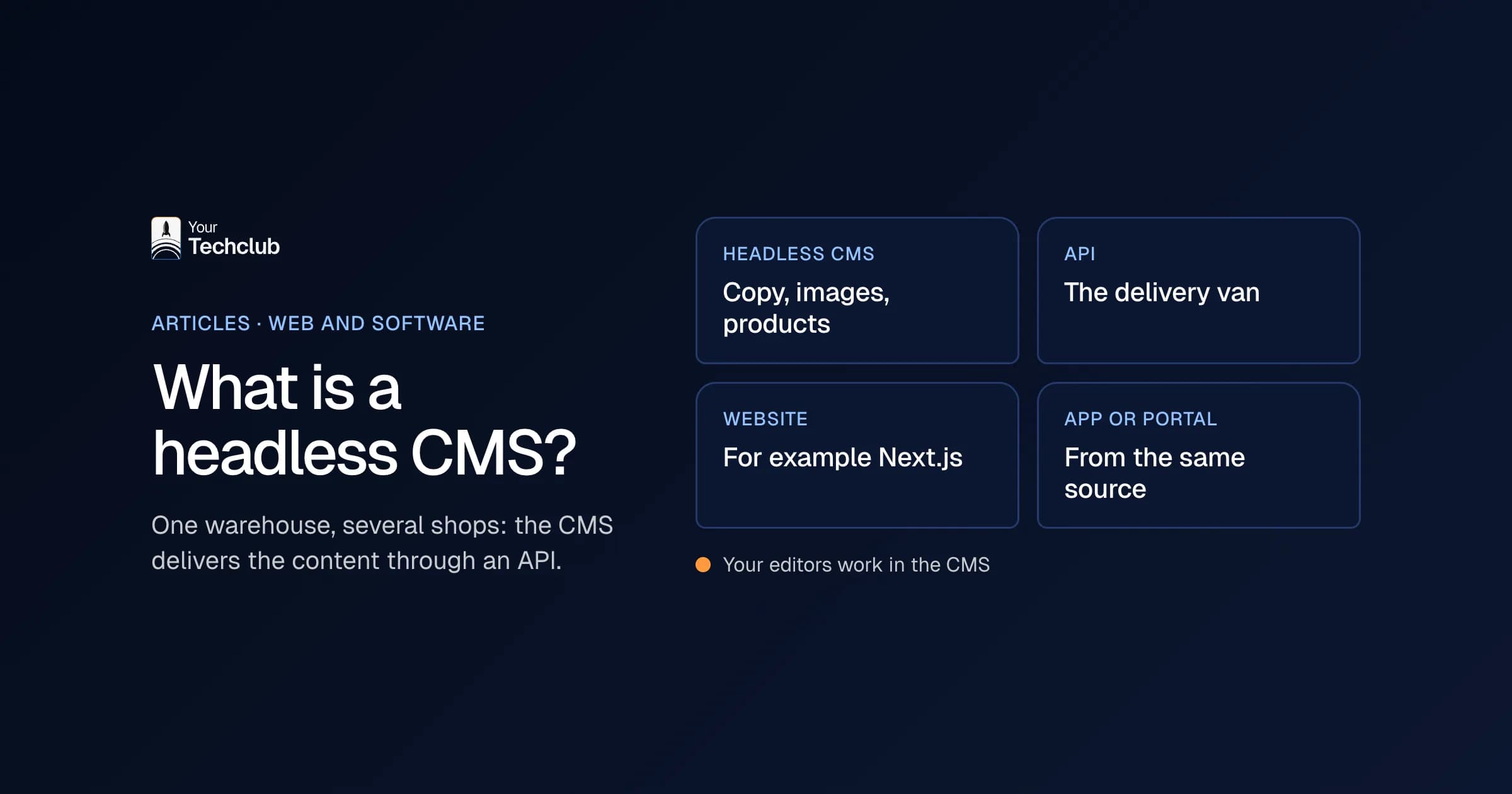
A headless CMS is a content management system that only manages the content, such as copy, images and products, and delivers it to your website or app through an API. The "head", the front end your visitor sees, isn't attached to it. You build that separately, for example in Next.js.
A comparison that usually works with managing directors: a traditional CMS is a shop with its own stockroom at the back. Everything sits in one building. A headless CMS, on the other hand, is a separate warehouse that supplies several shops. The website is one shop. An app, a kiosk screen or an AI employee can draw from it too.
That API is the delivery van. An API is a fixed agreement that lets two systems exchange data. If you want to know more, read what an API is.
What is the difference between a headless CMS and WordPress?
WordPress is a traditional CMS: the admin, the storage, the plugins and the display of your site all sit in one system. In a headless CMS, those are separate. Your editors work in the CMS, and the website fetches the content. As a result, an update in the admin doesn't automatically affect your front end, and the other way round.
| Traditional CMS (such as WordPress) | Headless CMS (such as Strapi) | |
|---|---|---|
| Structure | Admin and website in one system | Admin separate, website built on its own |
| Look | Theme and page builder | Your own front end, for example in Next.js |
| Extending | Plugins | Your own code and integrations through APIs |
| Editors | Can move anything | Work with fixed blocks |
| Multiple channels | Mainly the website | Website, app, screens, other systems |
| Who builds it | Lots of agencies, even without a developer | A developer for the front end |
You notice the biggest difference in maintenance. In WordPress, a plugin update can break your contact form or your homepage, because everything is connected to everything. With a headless CMS, the website stands on its own. It can even keep running while the content system is briefly down.
What are the benefits of a headless CMS?
The benefits come down to four things: a fast website, editors who can publish on their own without wrecking the design, fewer plugins to keep up with, and content you can also use in other systems. That last one matters more now that companies want to put AI to work on their own information.
Speed. The front end can prepare pages in advance, so a visitor doesn't wait for a database to answer. How fast it gets depends on the build. A headless CMS makes it easier, not automatic.
Editors with freedom within limits. Your team picks from blocks we design together: a text block, a case study, a quote, a button. Because of that, every page looks good, even when a new colleague makes it.
Fewer plugins. You build features into the front end or connect them through an API. So you don't have twenty plugins from twenty makers, each wanting its own updates.
Content for more than your website. Because everything runs through an API, the same content can go to an app, a newsletter or an AI employee. If you want to let AI work with your content directly, a good starting point is what MCP is.
You can see how that works out at a European data and AI consultancy. Publishing a new case study or insight there is now a matter of filling it in in Strapi, instead of a task for a developer (the case study). At a media brand that publishes every day, articles, sections and pages go live as soon as the editors have finished them (the case study).
What are the downsides of a headless CMS?
A headless CMS needs more build work up front. A developer has to make the front end, and any new kind of block too, and you have to set up a preview for your editors separately. You also have two parts to host and maintain. For a small, simple site, that is often too much.
I'll list them honestly:
- Higher build costs. You build the front end yourself, instead of buying a theme.
- A developer for new blocks. Your editors work fast within the blocks, but a whole new kind of page takes build work.
- Preview takes effort. Seeing what a page looks like before you publish needs setting up. It works, but it isn't there out of the box.
- Two systems. The CMS and the website run separately, so you also maintain two things.
What I would not do: choose a headless CMS for a five-page site that you change twice a year. Then you pay for flexibility you never use. In that case, a simple WordPress site with good maintenance is the smarter choice.
Can you use WordPress as a headless CMS?
Yes. WordPress has a built-in REST API that lets you fetch the content as JSON and show it in a separate front end. That is called headless WordPress. Your editors keep working in the familiar dashboard, while the website gets built separately, for example in Next.js. So it can be done, but it isn't always wise.
The official documentation describes the REST API as a way to bring WordPress content to "completely separate applications" (WordPress REST API Handbook, updated October 2026). Technically, that works fine.
My objection is a practical one. With headless WordPress you keep the maintenance of WordPress and its plugins, and you get a separate front end to maintain on top. Moreover, many plugins only work in the classic display, such as forms, SEO plugins and page builders. You then have to solve those again.
So when is headless WordPress a smart move? When your editors have hundreds of articles in WordPress and you want to replace the front end quickly, without moving everything at once. Then it is a stepping stone. For a new foundation, however, I prefer a CMS that was headless from the start.
My advice if you are considering that stepping stone: set an end date in advance. Otherwise the stepping stone stays for years and you maintain two systems instead of one.
Which headless CMS systems are there?
There are dozens of headless CMS systems, from open source to paid cloud services. We usually work with Strapi: its Community Edition is open source, self-hostable and easy to set up for editors. Which system fits depends on your editors, your hosting and the integrations you need. The choice of builder matters at least as much.
Why Strapi? We can host it wherever we want, shape the data model entirely around your content and connect it to the systems you already have. That fits how we build. Other agencies choose a cloud service for good reasons. Either way, ask where your data is stored and what it costs as your content grows. For a company in the Netherlands, where the data lives also matters for the GDPR. Looking wider than headless, website builders included? Then read about the alternatives to WordPress.
Whichever system you choose, ask at least these questions:
- Where is my content, and can I export it in one go if I want to leave?
- How do my editors see a page before it goes live?
- What does it cost if we get twice as many pages or users?
- Who maintains the CMS, and how quickly do security updates arrive?
Want to know what to look for when choosing a builder? Then read choosing an agency for your Strapi headless CMS. How we work with Strapi ourselves is on Strapi development.
When is a headless CMS a good idea for your business?
A headless CMS is a good idea when your editors publish often, when your site has to talk to other systems such as your CRM, or when you use your content outside your website too. If you have a simple site that rarely changes, it is usually too much. So the question is not "is it modern", but "what does your site need to do".
A quick check. Two or more yeses? Then headless is worth considering:
- Does your team publish every week or more often?
- Do forms have to land straight in your CRM?
- Do you want to use the same content in an app, a portal or a newsletter?
- Do you want AI to work with your own copy or products?
- Does your current WordPress site take a lot of maintenance?
For online stores, it is a different story again. There the question is whether headless is worth the extra build work. You can read about that in when headless ecommerce is worth it.
Are you on WordPress now and do you score high on this list? Then the WordPress switch is for you: a custom site with Next.js and Strapi, redirects for all your old URLs, forms that land in your CRM and a first AI employee. More about that under redesigning your WordPress website. For an example, see the case study on a headless CMS with Strapi and Next.js.
Frequently asked questions
What is a headless CMS in one sentence?
A headless CMS is a content system that sits apart from your website and delivers your content through an API to your site, app or other systems.
Is a headless CMS better for SEO?
Not by itself. A headless site can be very fast, and speed helps. But you still have to set up meta titles, redirects and a sitemap properly. That doesn't happen automatically.
Can my editors work in a headless CMS without a developer?
Yes, within the blocks you agree on together. Your editors create copy, images, case studies and new pages themselves. A new kind of block does need a developer.
Can I move from WordPress to a headless CMS later?
Yes. Your content moves to the new CMS and every old URL gets a redirect to the new page. That way you keep your visitors and your place in Google. Every step is in the website migration checklist.
Sources
- WordPress REST API Handbook, WordPress Developer Resources