

In this article
- What is a custom WordPress website, really?
- How is it different from a fully custom website?
- When is WordPress perfectly fine?
- When is a custom WordPress website a bad idea?
- When should you choose a fully custom website?
- What do your editors notice?
- Where are the costs after launch?
- How do you choose between WordPress and custom in five questions?
- What would I do if it were my site?
- Frequently asked questions
Anyone searching for a custom WordPress website usually wants a site that fits exactly. Their own design, their own features, no off-the-shelf theme. There are two ways to get that: custom work on top of WordPress, or a site built for you from the ground up. I'll explain the difference, when WordPress is perfectly fine, and when you do yourself a favour by looking further.
Honest disclaimer first: we don't build new WordPress sites any more. We do maintain them, though, and we help companies that want to move off WordPress. We used to build with it ourselves, including our own plugins, such as an EV charger configurator with a CRM integration. So you are reading the opinion of someone with a preference. I try to write it down as fairly as I can, including the cases where I'd tell you to stay on WordPress.
What is a custom WordPress website, really?
A custom WordPress website is a WordPress site for which a developer writes a bespoke theme, bespoke blocks or bespoke plugins, instead of only using ready-made parts. The foundation stays WordPress. So you manage the site in the same dashboard, with the same updates and the same plugin system.
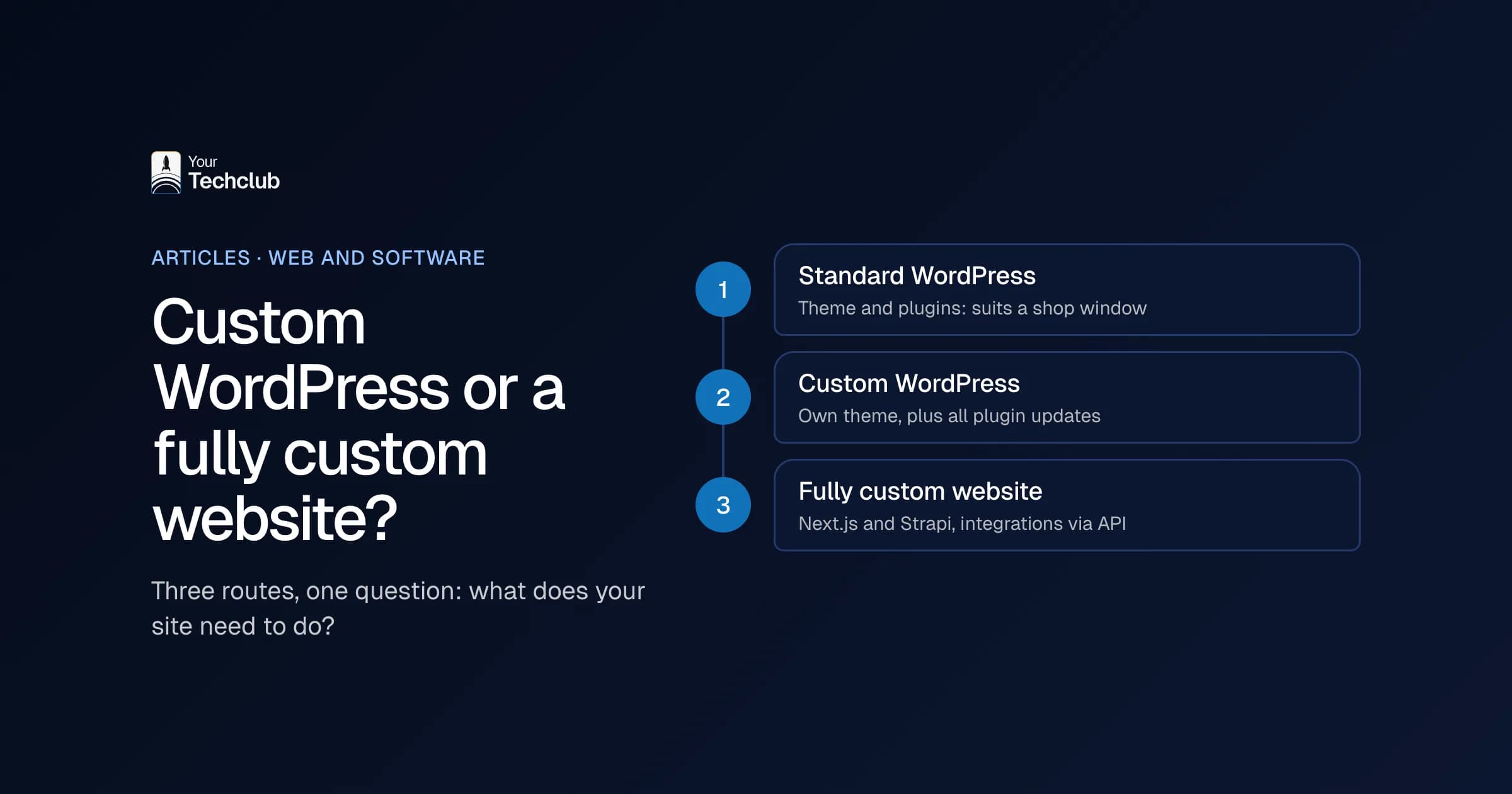
In practice, you see three levels:
- Standard theme with plugins. A bought theme, a page builder and twenty plugins. Quick and cheap, but you are stuck with what the theme can do.
- Custom theme. A developer builds the design from scratch, often with custom blocks in the editor. This is what most agencies mean by a custom WordPress website.
- Custom plugins and integrations. Your own code for a quoting tool, a customer portal or a link with your CRM, inside WordPress.
The closer you get to level 3, the more you use WordPress as a foundation under software. And that is exactly where the question "WordPress or custom" gets interesting.
How is it different from a fully custom website?
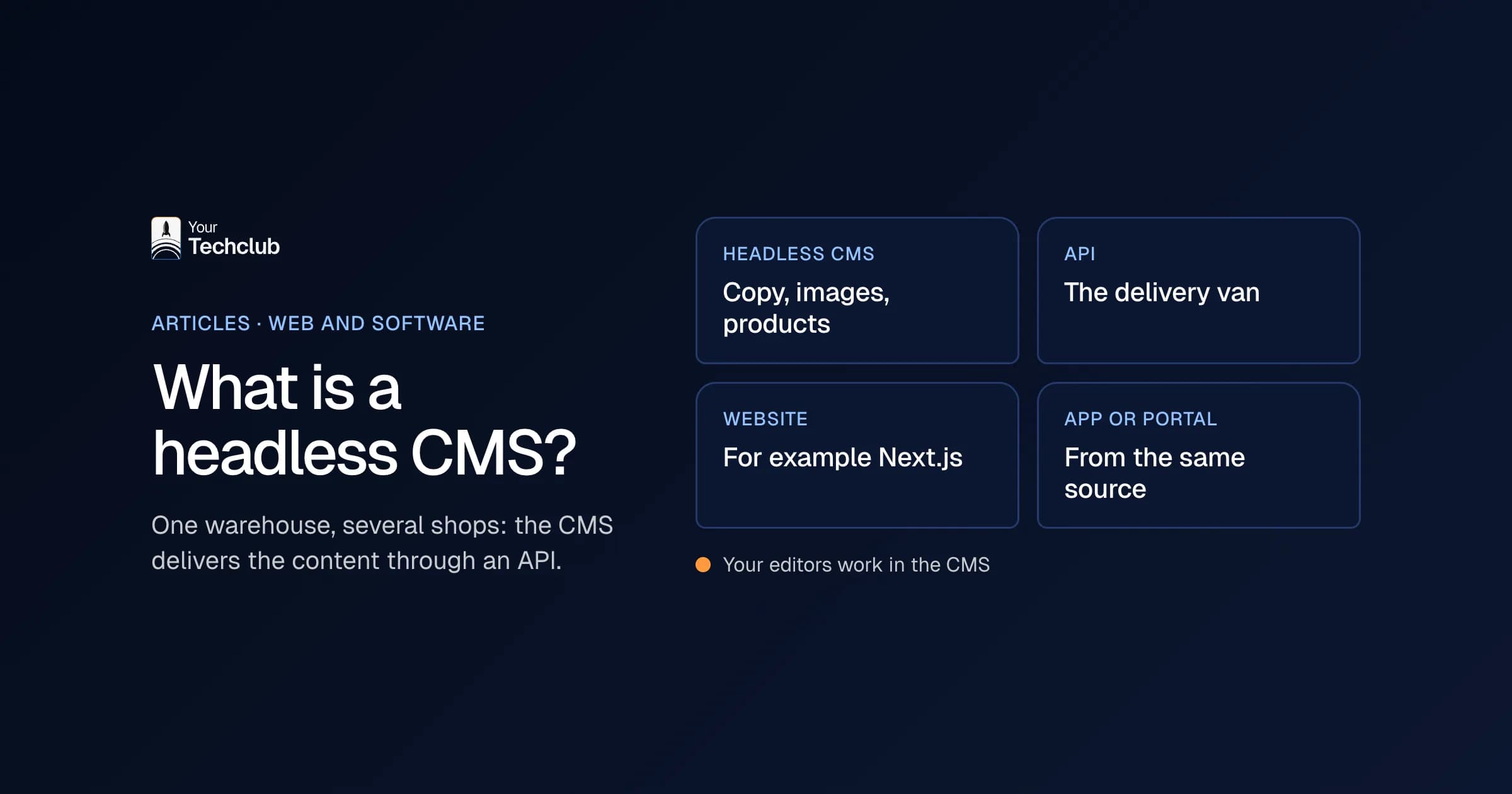
A fully custom website is built for your company from the ground up, without WordPress underneath. With us, that usually means Next.js for the site and Strapi as the content management system. Your editors work in Strapi, and the site fetches the content. There is no plugin system, so there is no weekly round of plugin updates either. You can read how that works in what a headless CMS is.
| Standard WordPress | Custom WordPress website | Fully custom website (Next.js and Strapi) | |
|---|---|---|---|
| Foundation | WordPress, theme, plugins | WordPress, custom theme, plugins | Own code, headless CMS |
| Editors | WordPress editor, page builder | WordPress editor, custom blocks | Strapi, custom blocks |
| Updates | Core, theme and plugins | Core, plugins and your own code | Your own code and its dependencies |
| Integrations | Through plugins | Through plugins or your own code | Your own code through APIs |
| Who can take it over | Lots of agencies | Agencies that understand the custom code | Agencies with Next.js and Strapi skills |
| Suits | Simple site, small budget | Site with its own design and some logic | Site tied to your processes and systems |
The middle column is the tricky one. You pay for custom work, but you also keep all the WordPress maintenance. More on that in a moment.
When is WordPress perfectly fine?
WordPress is fine when your site mainly shows information, your editors know the editor and there are few integrations. A site of ten to twenty pages with a blog runs well on it for years, provided someone does the maintenance. Besides, you can easily find another agency if your developer stops.
That last point is a real advantage. According to W3Techs, 39.5% of all websites run on WordPress, and 58.2% of the websites whose CMS is known (W3Techs, Usage statistics of WordPress, data 1 November 2026). So plenty of people can work with it. As a result, you depend less on a single agency.
For an association, a small service business or a brand that mostly posts news, I wouldn't quickly recommend anything else either. What I would not do: replace a site like that because someone says WordPress is "old". A working site with good maintenance is worth more than a new site nobody needed.
My advice in that case: sort out the maintenance, remove plugins nobody uses any more and check again in a year whether the site still fits.
When is a custom WordPress website a bad idea?
A custom WordPress website becomes a problem when it holds so much custom code that only the original developer understands it. Then you get the downsides of custom work, namely dependence on one agency, and the downsides of WordPress, namely plugins you have to update every week. Both at once.
Take a custom theme with a quoting tool built in, a link with the accounting system and thirty or so plugins around it. Every update of WordPress or PHP is then nerve-racking, because nobody knows what will break.
The plugins are the biggest risk here. In 2025, according to Patchstack, 11,334 new vulnerabilities appeared in the WordPress ecosystem, and 91% of them sat in plugins (Patchstack, State of WordPress Security in 2026, updated February 2026). So the more plugins your custom code needs, the bigger that share of your risk.
What you often come across on sites like that: a custom theme without documentation, plugins that only work with an old PHP version and a developer who can no longer be reached. Then every change starts with figuring out how it fits together.
When should you choose a fully custom website?
Choose a fully custom website when your site is more than a shop window. Think of forms that have to land in your CRM, editors who publish every week, your own calculators or a portal for customers. In those cases, a site with a headless CMS is often easier to maintain over time than a WordPress site full of plugins.
The signs I look for:
- Your site has to talk to your CRM, your accounting or your planning.
- Your marketing team wants to build pages itself, without the design falling apart.
- You want to put AI to work on your leads, for example an AI employee that qualifies enquiries.
- Speed matters, because you advertise and every second of load time costs money.
We call a move like that the WordPress switch. You get a custom site with Next.js and Strapi, redirects for all your old URLs, forms that land straight in your CRM and, if you want, a first AI employee. You can read how that works under redesigning your WordPress website. For an example, see the case study on a headless CMS with Strapi and Next.js.
What do your editors notice?
Your editors mainly notice freedom within limits. In WordPress with a page builder, anyone can move anything, until the design falls apart. In a fully custom website with a headless CMS, you choose from fixed blocks that always fit together. Fewer buttons, fewer accidents.
That sounds like a restriction, but in practice it works the other way round. A marketer no longer has to think about margins or font sizes. She picks a "case study" block, fills in the text and a photo and publishes. The site takes care of the rest.
Still, there is a transition. People who have worked in WordPress for years miss their familiar buttons at first. So plan a short training session at launch and a week in which someone answers questions. After that, you usually don't hear about it any more.
You can see how that works out at a media brand that publishes every day. Its editors had to knock on a developer's door for too many changes. On the new headless CMS, articles, sections and pages go live as soon as the editors have finished them, with no developer in between. You can read about it in the case study on an editorial team that publishes on its own.
Where are the costs after launch?
With WordPress, the running costs sit mainly in updates to plugins, theme and PHP, plus testing them. With a fully custom website, they sit in keeping your own code and its dependencies up to date. Building custom is usually more expensive; the monthly maintenance is not necessarily. That is why you should always compare costs over three years.
When they get a quote, many companies only look at the build price. That is understandable, but it tells you little. A cheap theme with thirty plugins can cost more hours over three years than a custom WordPress website, or a fully custom one, that you hardly need to touch.
So put these items side by side:
- Build and design.
- Licences for premium plugins or themes, often per year.
- Hours for updates and testing.
- Hours for small changes your editors can't make themselves.
- Repairs when something goes wrong, and how often that happens.
You can read what a site costs in general under website development costs. How to weigh custom against standard more broadly is covered in custom software vs off-the-shelf.
My advice: for every plugin, count not just the licence but also the updates it needs. Every plugin is one more part that can break during an update, so every plugin you can remove saves work.
How do you choose between WordPress and custom in five questions?
Answer five questions honestly. Does your site have to talk to other systems? Does your team publish every week? Is there custom logic in it, such as a calculator? Do you want to put AI on your leads? Is your current site hard to maintain? Two or more yeses: then a fully custom website is worth considering. Want to see every route side by side first, website builders included? Then read about the alternatives to WordPress.
| Question | Yes | No |
|---|---|---|
| Does your site have to talk to your CRM or accounting? | Custom is the obvious choice | WordPress can do the job |
| Does your team publish weekly and want more freedom? | Custom with a headless CMS | The WordPress editor is enough |
| Is there custom logic in it, such as a quoting or calculation tool? | Custom | WordPress |
| Do you want an AI employee working on your leads? | Custom with CRM integration | Not needed |
| Does your current site take a lot of maintenance or repairs? | Consider switching | Keep up the maintenance |
One yes or none? Then I would stay on WordPress and get the maintenance sorted properly. We are happy to do that too, through our WordPress maintenance.
What would I do if it were my site?
If your site is mainly a shop window: stay on WordPress, with good maintenance. If your site handles leads, quotes or customer questions: switch to a fully custom website, but only once you know where it pays off. Start with a baseline check of your site and, if AI is part of the picture, with an audit of your process.
My biggest objection to a lot of custom work on top of WordPress is this: you pay for custom, but you don't get the freedom that should come with it. Anyone who really wants custom is better off with a foundation made for it. If that isn't needed, then keep WordPress simple.
Soon you can take a first step yourself with our free WordPress check. You enter your URL and see which plugins you run, which updates are behind, how fast your site loads and which forms go nowhere. That is a good start to the conversation, with us or with someone else.
Frequently asked questions
Do you build custom WordPress websites?
No. We build new sites to measure with Next.js and Strapi, or on Shopify. We do maintain existing WordPress sites, including ones with custom code.
Is a fully custom website always more expensive than WordPress?
The build usually is, the maintenance not necessarily. Compare the costs over three years, including updates, licences and hours for changes.
Can I still move away from a custom WordPress website later?
Yes. The content moves to the new CMS and every old URL gets a redirect. We rebuild custom features, often more simply than in WordPress.
Does this also apply to a WooCommerce store?
Partly. For online stores we usually move to Shopify rather than to a fully custom site. The trade-off is explained in Shopify or WooCommerce.
Can my editors work as easily in a fully custom website as in WordPress?
Yes, if the CMS is set up well. In Strapi, your editors work with fixed blocks that we agree on together. It takes some getting used to, but after a week it usually feels clearer.