

In this article
- How do you measure whether you have a slow WordPress site?
- What causes a slow WordPress site?
- How do you find which plugin slows down your WordPress site?
- What can you do about a slow WordPress site today?
- When does speeding up a slow WordPress site no longer help?
- How fast is a site on a different foundation?
- How do you keep your WordPress site fast?
- Frequently asked questions
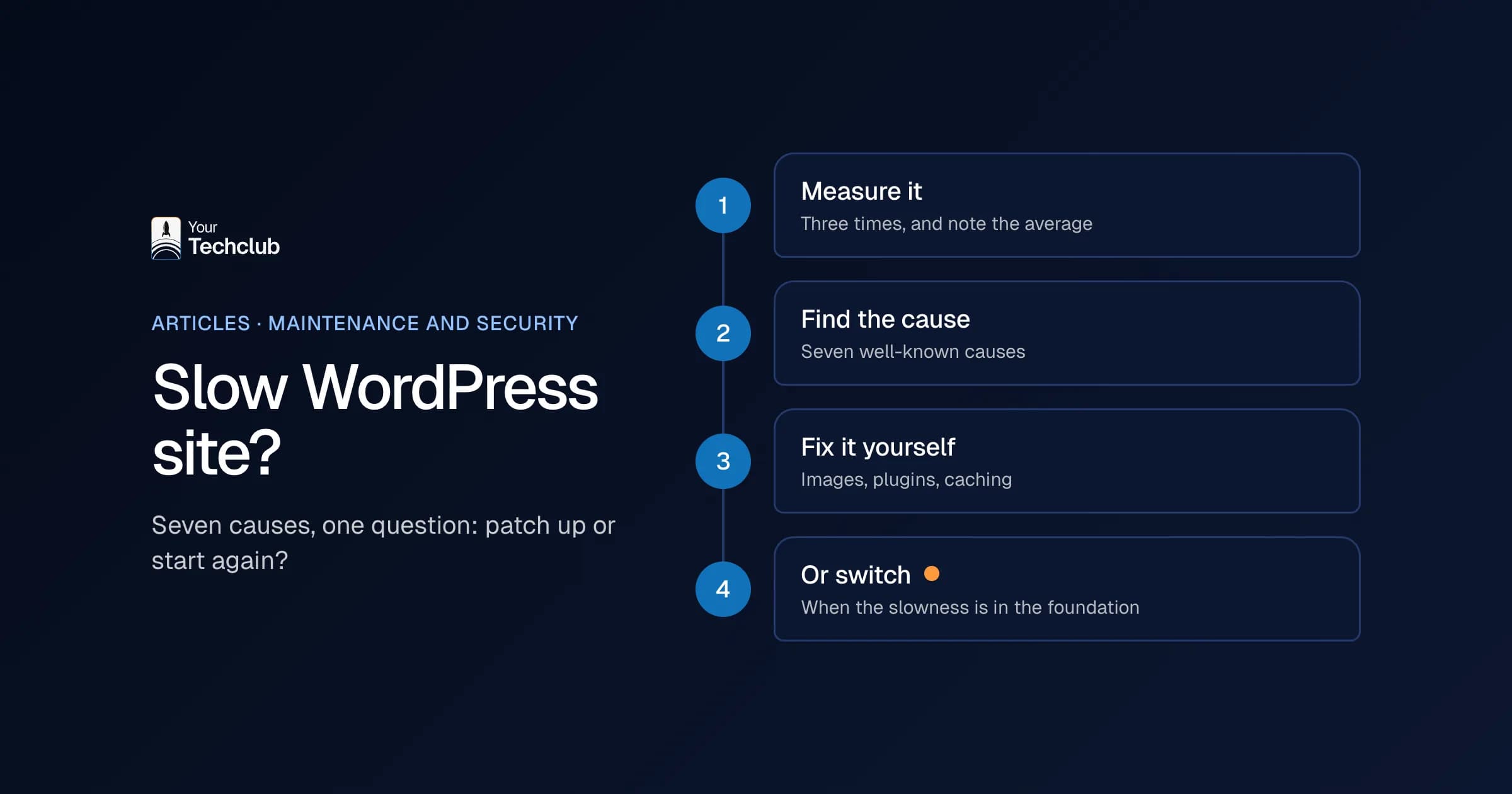
Ending up with a slow WordPress site is easy. You install a page builder, a slider, a chat button, a cookie banner and twenty plugins, and somewhere along the way every page takes three seconds longer. Nobody did anything wrong. Everything simply got added, and that is exactly why nobody notices. In this article you'll read how to measure whether your site really is slow, what the seven most common causes are and what you can do yourself. And also when speeding it up no longer helps.
I'm Yassine Seghrouchni of Your Tech Club in Amsterdam. We maintain existing WordPress sites and build new sites to measure. That means we know both sides: the patient patching up, and the moment when rebuilding is cheaper.
How do you measure whether you have a slow WordPress site?
Measure your site with Google PageSpeed Insights or the Core Web Vitals report in Google Search Console, and look at mobile in particular. Google calls a page good if the largest content appears within 2.5 seconds, the page responds to a click within 200 milliseconds and little shifts around. Your own laptop at the office is no yardstick.
Those three measures are called the Core Web Vitals:
- LCP (Largest Contentful Paint): how quickly the largest block appears on screen. Good is within 2.5 seconds.
- INP (Interaction to Next Paint): how quickly the page responds when someone clicks or types. The limit is 200 milliseconds.
- CLS (Cumulative Layout Shift): how much the page jumps around while loading. The standard there is 0.1 or less.
Google measures this at the 75th percentile of visits, separately for mobile and desktop (web.dev, Web Vitals, updated October 2024). So not your fastest visit, but a visit that is slower than three quarters of the rest. Often that is someone on a phone on the train.
One tip: don't just measure your homepage. Also measure your most visited service page and your contact page, because that is where a visitor decides whether to act. Speed is only one side of being found, by the way; the other side is in being found in Google and AI search engines.
What causes a slow WordPress site?
The seven most common causes are too many plugins, a heavy page builder or theme, large images, hosting that is too tight, no caching, external scripts such as chat and tracking, and an outdated server or a bloated database. Usually it is a combination. That is why a single speed plugin rarely does enough for a slow WordPress site.
- Too many plugins. Every plugin loads its own code, and often on every page, even where it does nothing.
- A heavy page builder or theme. Page builders make building easy, but in return they load a lot of extra code.
- Large images. A 5 MB photo that shows up as a thumbnail is still 5 MB.
- Hosting that is too tight. A cheap package on a crowded server means you wait for your neighbours.
- No caching. Without caching, WordPress rebuilds every page from the database on every visit.
- External scripts. Chat buttons, tracking, fonts and videos from other services. Besides, every script needs an extra connection.
- Outdated server or bloated database. An old PHP version, or a database full of old revisions and leftovers from deleted plugins.
What you often see on older WordPress sites is a combination of the first two: a page builder plus a row of plugins that load on every page. So measure first, before you remove anything.
How do you find which plugin slows down your WordPress site?
You find it by switching plugins off one at a time on a copy of your site and measuring again after each step. If you see a big jump, you have a suspect. Never do this on your live site, because a deactivated plugin can make a form, a checkout or your whole menu disappear.
The method is simple, but it takes patience:
- Make a copy of your site on a staging site. Many hosting companies have a button for that.
- Measure the copy three times and note the average. One measurement says little, because the result fluctuates.
- Switch off one plugin, measure again and note the difference.
- Switch it back on and move on to the next one.
After an hour, you usually know which two or three plugins cost the most. Next, the question is whether you need them, or whether a lighter solution exists. Sometimes a plugin turns out to be needed for one page only. In that case, you only let it load there.
Can't do this yourself, or don't have a staging site? Then that in itself is a sign that your maintenance could be better organised.
What can you do about a slow WordPress site today?
Start with the low-risk things: shrink images, remove unused plugins, switch on caching and take a critical look at external scripts. Make a backup first and test your forms afterwards. That alone often makes a noticeable difference to a slow WordPress site, without you having to change anything in your theme.
A practical order:
- Make a backup, away from your server. Speed tweaks sometimes break a form or a menu.
- Remove plugins you don't use. Deactivated plugins should go too.
- Resize and compress images, preferably to WebP. From now on, upload them at the size you display them.
- Switch on caching through your hosting or one caching plugin.
- Look at external scripts. Do you really need that chat button, that second analytics tool and three fonts?
- Ask your hosting company about the PHP version. If you are still on a version that no longer gets security updates, you have a security problem as well as a speed problem.
What I would not do: install three speed plugins at once. They clash, and you have three more plugins. Exactly the problem you started with.
My advice: measure before and after each step with PageSpeed Insights, on mobile, and write down the result. Then you know which step really made a difference and which you could have skipped.
When does speeding up a slow WordPress site no longer help?
When the slowness is in the foundation. You can polish a site built on a heavy page builder with dozens of plugins, but you can't make it truly fast. Every improvement then costs hours and only lasts until the next update. At that point, rebuilding on a faster foundation is often cheaper than tinkering on.
You can recognise that moment by a few things. For instance, the measurements stay red, even after caching and smaller images. Every plugin update makes things a little worse again. And your developer says the theme "just works that way".
In that case, a different setup helps more than yet another plugin. A site with Next.js and a headless CMS can prepare pages in advance, so a visitor doesn't wait for a database. You can read how that works in what a headless CMS is. Whether to switch or stay on WordPress, I discuss in custom WordPress website or fully custom. Every route side by side, including ones without custom work, is in the alternatives to WordPress.
To be fair, a custom site isn't fast by default. In Next.js you can also build a slow site, with oversized images and ten external scripts. The difference is that a good build brings less baggage along.
How fast is a site on a different foundation?
Here is an example with real figures. For a growth hacking agency, we built a platform with Next.js and Strapi to replace a site in Framer. In PageSpeed Insights on 13 October 2026, the homepage scored 100 on desktop and 99 on mobile for performance (the case study). That was not a WordPress site, but it shows what a light foundation can do.
A score like that is a measurement on one day, of one page. It says nothing about your site. Want to know the difference for your own site? Then we start with a baseline check of your current WordPress site. Only if it turns out that speeding it up no longer helps enough do we talk about redesigning your WordPress website.
How do you keep your WordPress site fast?
By measuring speed the way you do updates: regularly, every month. After all, every new plugin, every extra script and every large photo makes your site a little slower. If you measure monthly, you spot it in time. If you never measure, you only notice when enquiries drop off.
That is why, with our WordPress maintenance, several monitoring tools watch availability, speed and anything unusual. A website agent checks versions and alerts, and a developer decides what happens. Updates go to a staging site first, so a speed problem shows up there and not with your visitors. More about that approach is on website maintenance with an SLA.
Did you end up with a slow WordPress site right after an update? Then first look at what changed, before you install anything new. Often it is one plugin that brought a new feature along, for example an extra script on every page. Roll that update back on a staging site, measure again and only then decide.
Soon you'll also be able to take a first measurement yourself with our free WordPress check. You enter your URL and see, among other things, which plugins you run, which updates are behind and how fast your site loads.
Frequently asked questions
How fast should a WordPress website be?
Google calls a page good if the largest block appears within 2.5 seconds, the page responds within 200 milliseconds and little shifts around. Measure that on mobile, because that is where most visitors are.
Is WordPress always slow?
No. A simple WordPress site with a light theme, few plugins, good hosting and caching can be perfectly fast. WordPress gets slow because of what you pile on top of it.
Does better hosting help a slow WordPress site?
Sometimes. If your server is the cause, it helps straight away. But if the slowness comes from plugins, images or scripts, you pay more for the same slow site.
Is a slow website bad for Google?
Speed is one of the signals Google uses, but not the most important one. You see the biggest effect with your visitors: a slow page loses them before they have read anything.
Sources
- web.dev, Web Vitals, web.dev