In this article
A large part of the day goes on work nobody put in the job description: reading and forwarding email, retyping data from a PDF, checking whether a file is complete, logging notes in the CRM. Automating administrative processes with AI starts right there. AI can categorise, extract, summarise and prepare information as a draft. Rules and a person remain necessary for amounts, contracts, personal data and exceptions.
What counts as administration?
Administration is broader than bookkeeping. It is all the recurring handling of information needed to keep the business running: routing email, saving and naming documents, copying data from PDFs, checking forms, updating CRM fields, compiling reports, recording agreements and completing files.
An AI workflow usually doesn't replace a whole job. It takes over or prepares specific steps. Applications outside the back office, by department, are in AI applications for business.
Where does AI add value?
A fixed rule recognises a field called "customer number". AI also finds the same number in a sentence in an email, in the header of a PDF or in a document with a different layout. A regular rule then checks whether the format is right. That combination is the core: AI for the language, rules for the checks.
Fifteen applications
1. Categorising email
Request, complaint, invoice question, planning question, contract question, internal or urgent. The workflow suggests a category and routes the message. See automating email processing in Outlook.
2. Extracting data from email
Customer number, order number, date, location, requested service, contact person. Check the format and make missing data visible. For orders that come in by email, PDF or WhatsApp, the approach is in automating order processing.
3. Recognising and saving attachments
Determining the document type, suggesting a file name, adding metadata and putting the document in the right folder or file.
4. Checking forms
Required fields, contradictions, impossible combinations, missing attachments and unusual values.
5. Preparing CRM admin
After a call: a summary, action points, a suggested stage and topic, and a draft email. A colleague confirms the changes.
6. Extracting invoice data
Supplier, invoice number, date, amount, VAT and order number. The full approach is in automating invoice processing and AI in bookkeeping.
7. Comparing documents
Old and new terms, quote and order confirmation, invoice and purchase order. The workflow highlights the differences, a person judges what they mean.
8. Preparing reports
Summarising data from several sources, flagging missing explanations and drafting a summary. With source references, so figures stay checkable.
9. Processing minutes and actions
From a transcript to decisions, actions, owners, deadlines and open questions. Have participants check before tasks are created. See taking minutes with AI.
10. Checking files
Are all required documents present, are they the latest versions, are they signed and are the dates right?
11. Preparing answers to customer questions
Finding relevant information in your knowledge base and drafting a reply, with the sources used and a signal when the workflow isn't sure.
12. Structuring quote input
Turning a free-form request into the customer's question, scope, quantities, conditions and the questions still open. See creating quotes with AI.
13. Recording contract data
Parties, start date, end date, notice period and renewal. Don't use AI as a substitute for legal review.
14. Multilingual admin
Translating and structuring incoming information. Keep the source text and check the critical details.
15. Making internal knowledge searchable
Colleagues ask questions about procedures, manuals and policies. Show the source passage and limit access per user.
When is it better not to start?
Hold off if the process changes every week, information mostly exists verbally, colleagues each have their own way of working, errors can't be corrected in time, nobody wants to own it, volume is too low or the application makes decisions about people without a risk framework.
Step by step
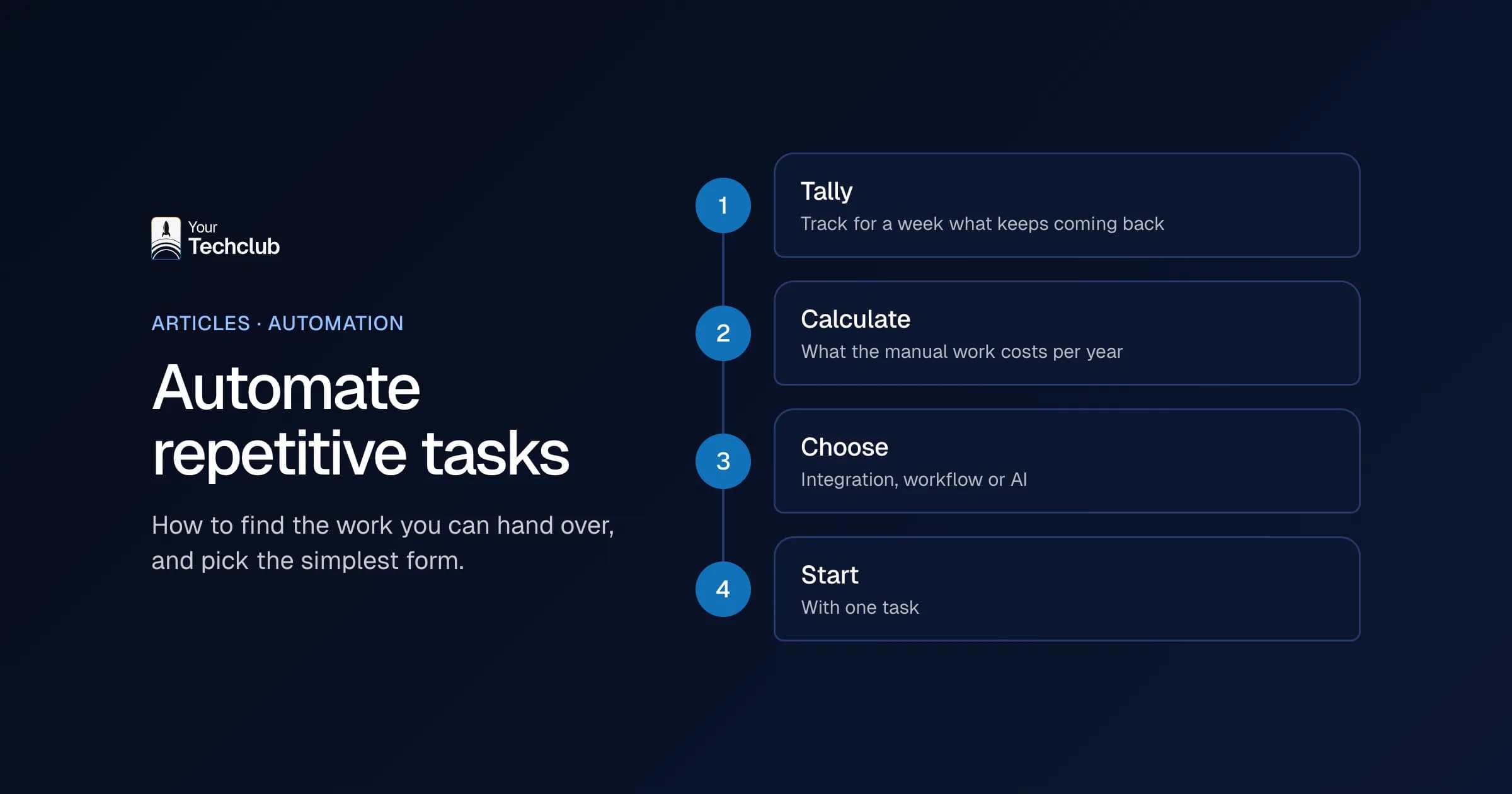
Step 1: collect the tasks
Ask your colleagues: what work do you repeat every day, where do you copy data, where do files get stuck, which information is often missing and which errors cause a lot of rework?
Step 2: measure volume and time
Take a sample: how many per week, how many minutes each, how often it goes wrong and how long things wait. Use the cost of manual work to convert that.
Step 3: choose one task
With enough volume, a clear outcome, digital input, limited damage from an error, an owner and enough real examples to test with.
Step 4: design the review
Decide what only appears as a suggestion, who may approve, which discrepancies always go to a person, how corrections are recorded and when the workflow stops.
Step 5: test and measure
Test with historical examples, then a small live pilot. Measure time per item, the share of correct fields and categories, the number of corrections and escalations, and how colleagues experience it.
An example: file intake
An illustrative scenario. A professional services firm receives new client files by email. The workflow recognises the type of request, saves the attachments, extracts company name, contact person and reference from the documents, checks them against a checklist, lists what is missing and prepares a draft email. An employee checks and registers the file. The first version doesn't request anything on its own: quality is measured first.
Checklist
- Process: the task is scoped, the current steps are described, volume and time are measured, exceptions are known and there is an owner.
- Data: the input is digital, the sources are known, personal data is identified, access can be kept minimal and retention periods are known.
- Solution: rules and AI each have a clear role, human approval is designed, errors are logged, uncertainty is made visible and the workflow can be stopped safely.
- Result: there is a baseline, goals are chosen, stop criteria are set, management is assigned and recurring costs are budgeted.
Privacy and security
Administration is full of personal data, financial data and contract information. Check purpose and legal basis, process no more than necessary, limit access, know your retention periods, read your suppliers' terms and assess whether a DPIA is needed. The Dutch Data Protection Authority (Autoriteit Persoonsgegevens) publishes practical documents on the GDPR. See also the AI Act and GDPR: what do you need to sort out now?.
Next step
Want to know which administrative task has enough volume and impact for a first pilot? We map that in the AI Opportunity Audit. An indication of costs is on what an AI solution costs.
Frequently asked questions
Can you fully automate administration?
Some fixed steps, yes. With discrepancies, amounts, contracts and unclear information, human review remains important.
Is OCR the same as AI?
No. OCR turns an image into text. AI then recognises the meaning and structure of that text. A document workflow often uses both.
Can AI enter data into our systems itself?
Technically often yes. Still, start with draft records or approval and grant only the permissions needed. What a wrong change costs determines how much review you keep.
Which task is best to start with?
A task with high volume, clear input and output, limited risk and an engaged owner. Categorising email and extracting invoice data are common starting points.
Do you need an AI agent?
Usually not. A fixed workflow that extracts and asks for approval is often simpler, more predictable and cheaper. See AI agent or regular automation.